
The three tab bulk upload schema for OpenAI Ads Manager, every required column, the formatting rules that cause silent failures and how to fix a rejected file.
On this page
- The short version
- When to use bulk upload instead of the guided flow
- The three tabs and what belongs in each
- A worked example: three rows across three tabs
- Formatting rules that cause silent failures
- Before you upload: the validation pass
- New object or an update to an existing one
- When the upload comes back with errors
- Common mistakes
- Bulk upload versus the guided flow
- What UAE teams should prepare before a bulk launch
- A note on version control
- Quick answers
The short version
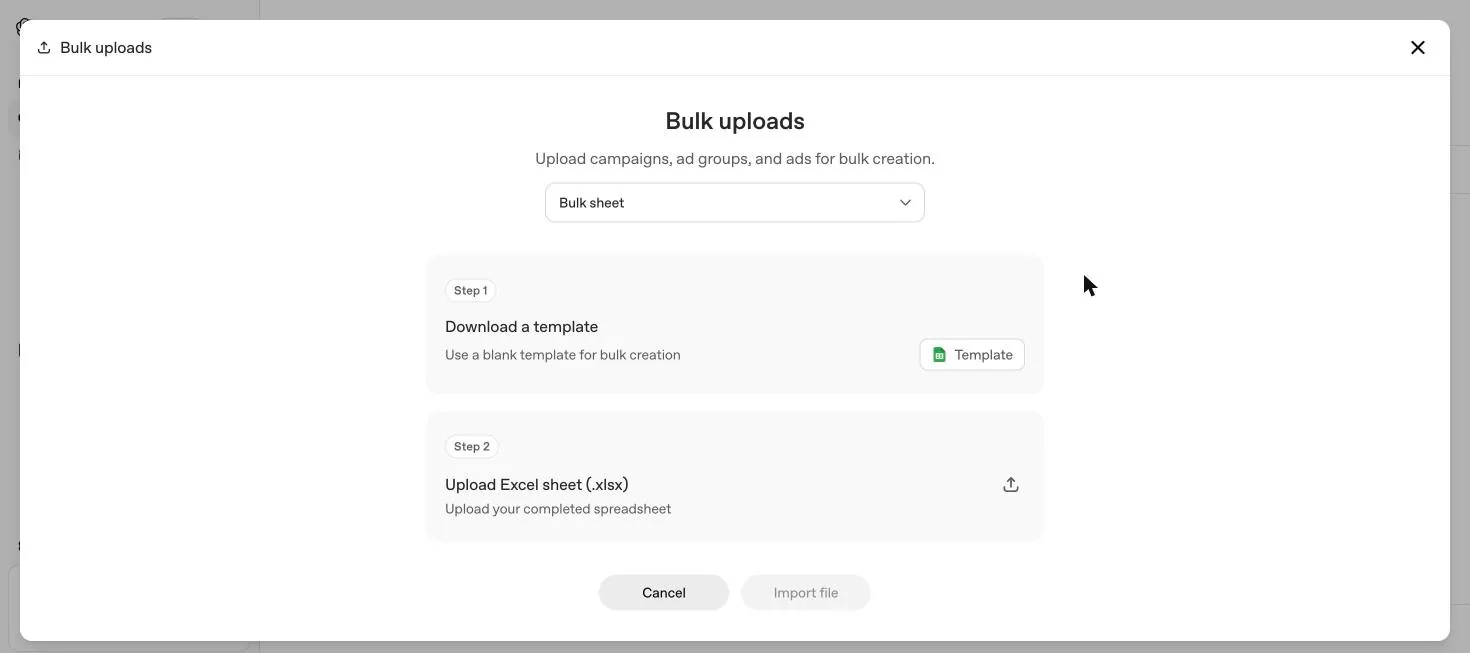
Bulk upload is a three tab spreadsheet: campaigns, ad groups, ads. Every row needs the right fields filled in, campaign and ad group names have to match exactly across tabs, and context hints need to be written as a JSON array. Most rejected files fail on one of those three things. This guide is the checklist to run before you upload, taken directly from OpenAI's own schema checklist.
When to use bulk upload instead of the guided flow
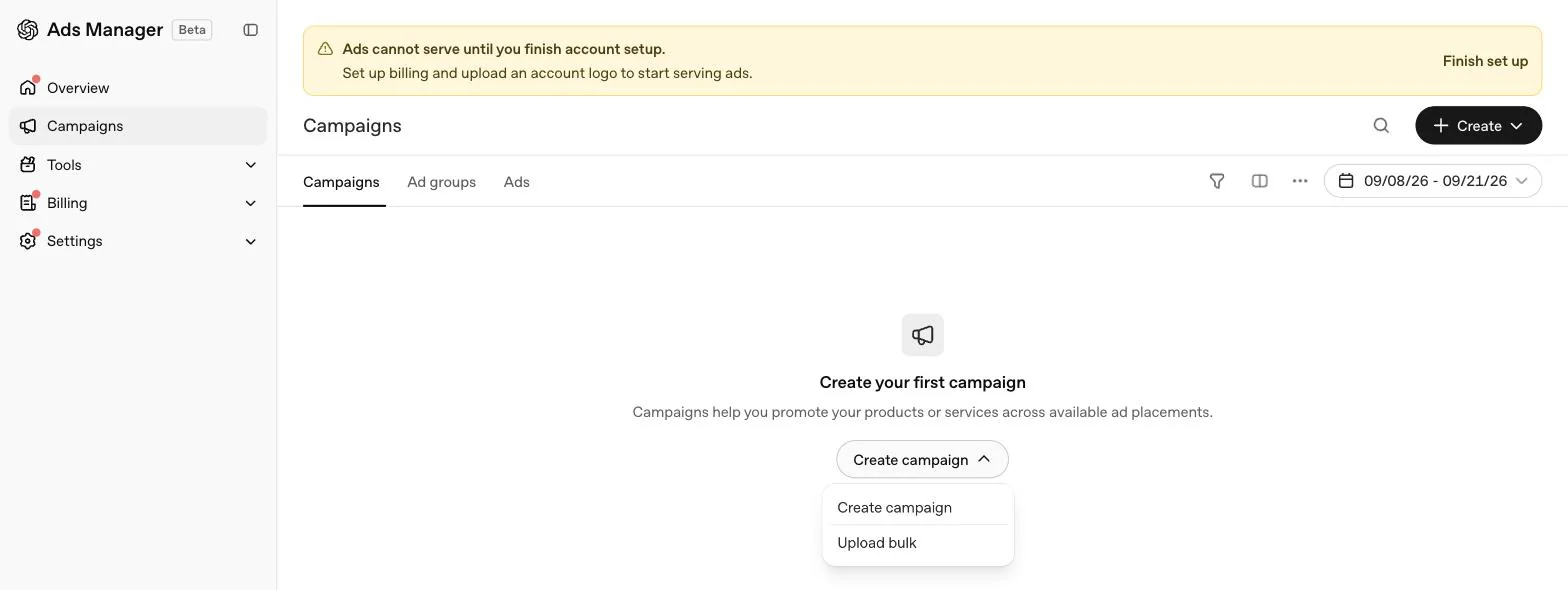
Bulk upload suits a launch of several campaigns at once, or a structural change across many ad groups, such as rewriting context hints everywhere at the same time. A single campaign with a handful of ad groups is usually faster to build in the guided workflow described in our Ads Manager guide. One hard limit either way: bulk upload does not currently support creating product feed campaigns. Feed based campaigns are always built through the guided flow in our product feed guide.
The three tabs and what belongs in each
Campaigns tab
| Column | Requirement |
|---|---|
| Campaign name | Unique across the account. No duplicates anywhere in the file |
| Objective | Either Views or Clicks in this tab |
| Budget | Completed, matching your chosen budget type |
| Start and end dates | YYYY-MM-DD format, valid calendar dates |
| Country | Completed and written in JSON format |
Row limit: no more than 5,000 campaigns in one ad account.
Ad groups tab
| Column | Requirement |
|---|---|
| Ad group name | Unique. No duplicates |
| Campaign name | Must match the campaigns tab exactly, character for character |
| Max bid | A maximum CPM bid for Views campaigns, or a maximum CPC bid for Clicks campaigns |
| Context hints | A JSON array, written like ["hint1", "hint2"] |
Row limit: no more than 5,000 ad groups in one ad account.
Ads tab
| Column | Requirement |
|---|---|
| Ad group name | Must match the ad groups tab exactly |
| Ad title | 16 to 24 characters recommended, 50 maximum |
| Ad copy | 32 to 48 characters recommended, 100 maximum |
| Landing page URL | Valid, reachable, not blocked by OpenAI's crawlers |
| Image URL | PNG or JPG, square, no larger than 1200 by 1200 pixels, publicly accessible, opens directly to the image |
Row limit: no more than 5,000 ads in one ad account. OpenAI names three accepted image hosting patterns: public Google Drive links, AWS hosted links such as S3 or CloudFront, or self hosted links on your own domain or CDN.
A worked example: three rows across three tabs
Seeing the three tabs linked together makes the naming rule concrete. Here is one campaign, one ad group and one ad, written as they would appear in each tab.
| Tab | Key columns and values |
|---|---|
| Campaigns | Campaign name: UAE Villa Renovation. Objective: Clicks. Budget: AED 300 daily. Start: 2026-10-01. End: 2026-10-31. Country: ["AE"] |
| Ad groups | Ad group name: Kitchen Renovation. Campaign name: UAE Villa Renovation. Max bid: AED 15. Context hints: ["Villa kitchen renovation in Dubai with a fixed price contract", "For owners who have just bought an older villa and want the kitchen finished before moving in"] |
| Ads | Ad group name: Kitchen Renovation. Ad title: Villa kitchen renovation, fixed price. Ad copy: Permits handled, named project manager, fixed timeline. Landing page URL: https://example.ae/kitchen-renovation. Image URL: https://example.ae/images/kitchen.jpg |

Notice the campaign name "UAE Villa Renovation" appears character for character in the ad groups tab, and the ad group name "Kitchen Renovation" appears character for character in the ads tab. That repetition, row after row, is what the validator is actually checking.
Formatting rules that cause silent failures
Before you upload: the validation pass
Check every required field
Blank required fields are the most common rejection cause across all three tabs.
Check context hints are valid JSON
A comma separated string without brackets and quotation marks will not parse as an array.
Check character limits on title and copy
16 to 24 characters recommended for titles, 50 maximum. 32 to 48 characters recommended for copy, 100 maximum.
Open every landing page and image URL directly
Confirm the landing page loads without a sign in wall and the image URL returns the image itself, not a preview page or a redirect.
Re-check names across tabs
Every campaign name referenced in ad groups, and every ad group name referenced in ads, exists and matches exactly.
New object or an update to an existing one
The bulk upload file doubles as the editing tool for existing campaigns, ad groups and ads, and the same file structure decides which behaviour you get.
| You want to | Do this |
|---|---|
| Update an existing object | Keep its existing ID in the row |
| Create a new ad group inside an existing campaign | Put the existing campaign's ID in the row, leave the new ad group's ID blank |
| Create a new ad inside an existing ad group | Put the existing ad group's ID in the row, leave the new ad's ID blank |
OpenAI's recommended starting point for any edit is Export for edit inside Ads Manager, which downloads a fresh file with current IDs and values. Starting from an old file risks overwriting a change someone else made since you last exported. Full detail on in-line versus bulk edits is in our Ads Manager guide.
When the upload comes back with errors
Ads Manager shows a specific error message identifying the row and the issue. Work through it in this order.
Read the exact error, not just that it failed
OpenAI's error messages typically name the row and the specific problem, which is faster to fix than re-checking the whole file.
Confirm what already succeeded
Processing can complete even when some rows failed. Check the row level results before assuming nothing was created.
Reconcile before you re-upload
Confirm each ad_group_id in the file points to the object you intended, and that image links return image data rather than a preview page.
Never replay a succeeded row with a blank ID
A row that already created an ad, uploaded again with the ad ID left blank, creates a second, duplicate ad rather than updating the first one.
Fix, validate, then re-upload only the rows that need it
Correct the specific formatting or field issue in the template, run through the checklist above again, and upload only the rows you intend to create or change.
If an error is unclear or persists, OpenAI's support channel for this is reachable through the support widget inside Ads Manager. Have your file and the exact error details ready before you contact them.
Common mistakes
- Renaming a tab or a column header. Even a small rename, such as "Ad Groups" instead of "ad groups", can break the upload.
- Typing the campaign name slightly differently in the ad groups tab. A missing space or different capitalisation is treated as a different campaign and the link silently fails to match.
- Writing context hints as a plain sentence instead of a JSON array. It needs the brackets and quotation marks: ["hint one", "hint two"].
- Assuming a completed upload means every row worked. Check row level outcomes every time, especially on a large file.
- Re-uploading the whole file after fixing one error. This risks duplicating every row that already succeeded. Isolate and re-upload only the corrected rows.
- Trying to bulk upload a product feed campaign. It is not supported. Build it in the guided flow instead.
Bulk upload versus the guided flow
Neither method is universally better. OpenAI supports both, and the right choice depends on the size and shape of the change you are making.
| Situation | Better fit |
|---|---|
| First campaign, still learning the platform | Guided flow, so each field's effect is visible as you set it |
| Ten or more campaigns launching on the same date | Bulk upload, built once in a spreadsheet |
| Rewriting context hints across many ad groups after a strategy change | Bulk upload, since Export for edit gives you every ad group's current hints in one file to edit together |
| One ad group needs a single new ad added | Guided flow, since the in-line Create, Create ad path is faster than exporting and re-uploading a file |
| A product feed campaign, at any scale | Guided flow only, since bulk upload does not support this campaign type |
What UAE teams should prepare before a bulk launch
- Dates in YYYY-MM-DD format, and a clear view of which UAE public holidays or sale periods the campaign dates should span.
- Country values in the JSON format the template expects, for example ["AE"] for UAE only, or a wider Gulf list if you are also live in Saudi Arabia, Qatar, Kuwait, Bahrain or Oman.
- Landing pages that are already reachable by OpenAI's crawlers, OAI-AdsBot and OAI-SearchBot, which matters for sites still behind a staging password or a country level redirect.
- A named person who owns the file, since a bulk file touching many campaigns at once is exactly the kind of change that benefits from one clear owner rather than several people editing in parallel.
- Arabic text saved correctly in a UTF-8 file if any titles, copy or context hints use Arabic. A spreadsheet saved in the wrong encoding can silently turn Arabic characters into unreadable symbols, and that failure will not always show up as a validation error, only as broken text once the ad is live.
A note on version control
A bulk upload file is easy to lose track of once more than one person edits it. Our approach, which is our own practice rather than an OpenAI requirement: keep the most recent Export for edit in a shared folder with the export date in the filename, and treat any older copy as read only. Because a bulk edit replaces context hints outright rather than merging them, an out of date file re-uploaded by mistake can quietly delete hints someone else added last week. The cost of a naming convention is small next to the cost of untangling that after the fact.
For the full picture of how bulk upload fits inside the wider account and campaign structure, read our Ads Manager complete guide.
Quick answers
Can I bulk upload product feed campaigns?
No. OpenAI states bulk upload does not currently support creating product feed campaigns. Those are built through the guided workflow only.
What format do context hints need in the bulk upload file?
A JSON array inside the cell, written like ["hint1", "hint2"]. Plain text or a comma separated list will fail validation.
Does a bulk edit add to my existing context hints or replace them?
It replaces them. OpenAI says to treat the uploaded context hints list as the complete value you want live after upload, not as new hints added to the old list.
How many rows can one ad account have?
OpenAI's limits are 5,000 campaigns, 5,000 ad groups and 5,000 ads per ad account, and the checklist repeats the same ceiling for each tab of the bulk upload file.
What happens if my bulk upload has an error in one row?
Ads Manager can finish processing the file even when individual rows fail, so a completed upload does not mean every row succeeded. Check each row's outcome before deciding what to fix.
Is it safe to re-upload the same file after fixing an error?
Only after reconciling what already succeeded. OpenAI warns that re-uploading rows that already created an ad, with the ad ID left blank, can create a duplicate ad.
Related
Ads Manager complete guide
Every level of OpenAI Ads Manager explained: account, campaign, ad group and ad, what each screen shows, what cannot be edited later, and a launch checklist.
Context hints
Context hints replace keywords in ChatGPT ads. What OpenAI says they are, how they differ from keywords and traditional targeting, five patterns and UAE examples.
Product feed campaigns
How feed based ChatGPT ads work, the seven setup steps, the two week item expiry that catches stores out, and what UAE Shopify, Salla and Zid merchants should prepare.