
oppref is the click reference OpenAI adds to ChatGPT ad landing URLs. How the Pixel stores it, why Pixel plus Conversions API beats either alone, and WhatsApp sales in the UAE.
On this page
- The short version
- Where conversion tracking fits in the account
- How OpenAI decides a conversion happened
- Setting up a data source, step by step
- The three collection paths, compared
- Where to install: hardcoded, tag manager, or a partner link
- Standard events, custom events and the fields that decide a match
- Which events to send
- The click reference: oppref
- Pixel and Conversions API together
- Deduplication: the single most important setting
- Testing before you trust a number
- Pixel validation diagnostics in Ads Manager
- Advanced matching, automatic and manual
- Sending user matching data
- Modelled measurement
- Consent and privacy come first
- Definitions used on this page
- Which tracking setup fits your business
- Managed conversion pipelines at a glance
- AI search visibility is a different discipline
- Illustration: how deduplication actually works
- Three UAE scenarios, illustrated
- Pre-launch checklist before you flip conversion tracking on
- Keeping measurement healthy
- The attribution gap: what the Pixel cannot see
- WhatsApp and phone sales in the UAE
- Common mistakes and what goes wrong
- Troubleshooting: symptom, likely cause, fix
- What OpenAI has not published
- Reading the numbers once tracking is live
- Quick answers
The short version
Create a data source in Ads Manager, install the OpenAI Pixel, send the same events from your server through the Conversions API with matching event IDs, and keep the oppref click reference alive through every redirect. Do this before choosing the Conversions objective, because the platform can only optimise toward events it actually receives. Get the plumbing wrong and the numbers you read later will not mean what you think they mean.
Where conversion tracking fits in the account
Ads Manager reports seven core metrics at campaign, ad group and ad level: impressions, clicks, spend, CTR, average CPC, average CPM, and conversions. Conversions is the odd one out. Impressions, clicks and spend populate automatically once an ad serves. Conversions only populates once conversion measurement is set up, and it lives under its own area of the account, Tools then Conversions, separate from campaign creation itself. In our own new UAE account in September 2026 this screen would not even load content until account setup, meaning billing and the account logo, was finished, which is worth knowing if you are troubleshooting an empty Conversions tab on day one rather than a tracking bug.
This guide covers building that data source correctly. Once it exists, two other guides pick up from here: the conversion campaigns guide covers building a campaign that optimises toward one of your events, and the reporting guide covers reading the Conversions numbers once they start arriving.
How OpenAI decides a conversion happened
OpenAI reports a conversion when four things are true.
- It receives an event from a data source connected to your ad account.
- The event matches a conversion event configured for the campaign.
- The event happens inside the attribution window you selected.
- OpenAI can connect the event to an eligible ad click.
That last link uses the click reference, eligible advanced matching information and, where available, modelled measurement. Miss any one of the four and the conversion is never counted, even if the sale genuinely happened.
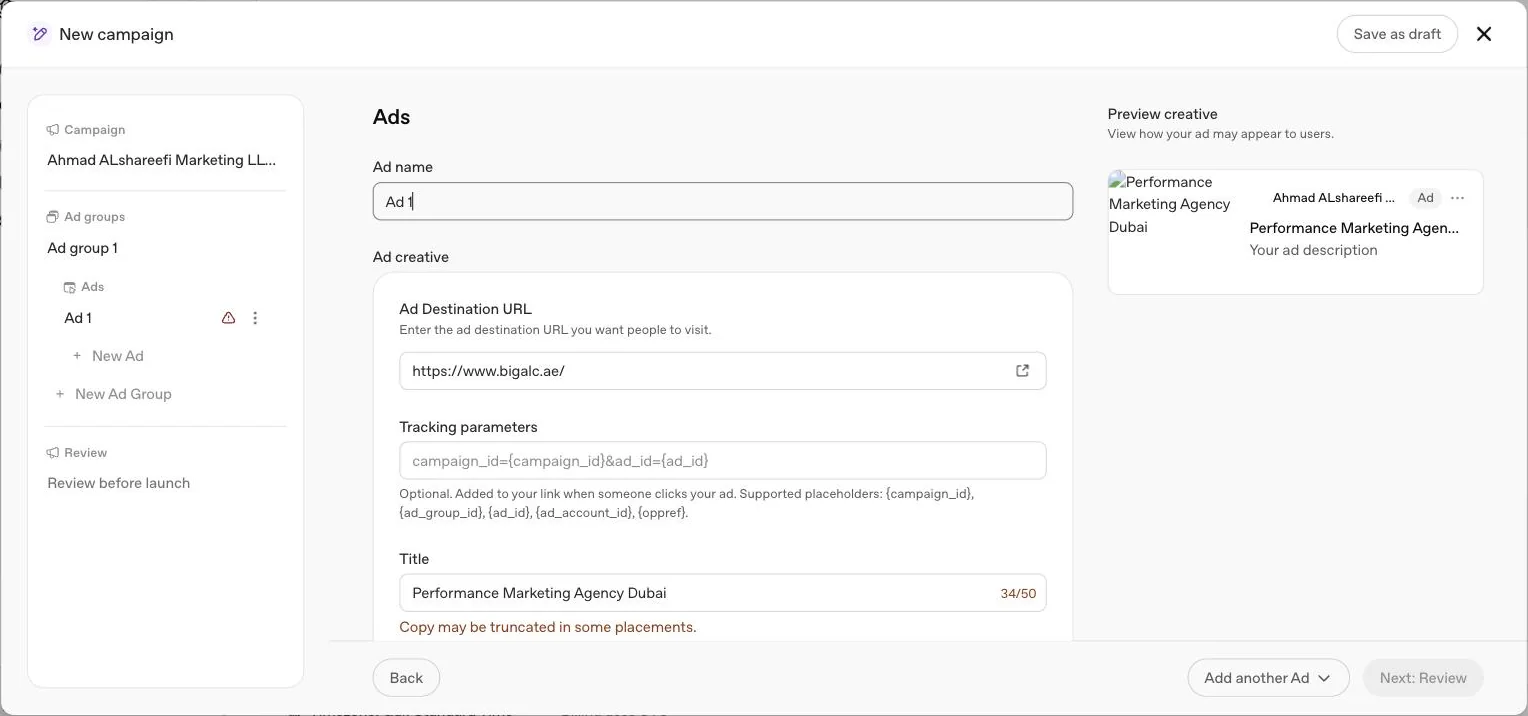
Setting up a data source, step by step
Create a data source
In Ads Manager, open the Conversions section under Tools and create a data source. This gives you a Pixel ID and a Conversions API key together, the two credentials every method on this page relies on.
Install the OpenAI Pixel
Place it on the pages where the real action happens, not only the homepage. This includes product pages, lead forms and confirmation pages.
Configure a conversion event
Choose a standard conversion event that matches what you actually want to measure, such as a purchase, a sign up or a lead submission, or a custom event if no standard type fits and you do not intend to run conversion optimised campaigns against it.
Build the matching Conversions API call
On your server, for the same event, using the same Pixel ID and Conversions API key, so browser and server side copies of the same action line up.
Send identical events with the same event ID
From the Pixel and the Conversions API, so OpenAI deduplicates rather than double counts the same real world action.
Attach the conversion event to the campaign
Before traffic starts. A correctly built conversion event sitting unattached to a campaign will not be picked up.
Test one full journey end to end
From ad click to the final confirmation event, before you rely on the numbers for a real decision.
The three collection paths, compared
OpenAI's help centre documents three distinct ways an event reaches a data source, and they are not interchangeable. Choosing the right mix for your business is a bigger decision than choosing between two competing tools, because each path sees a different slice of the customer journey.
| Path | Runs where | Captures oppref automatically | Typical use |
|---|---|---|---|
| OpenAI Pixel | In the browser, on your website | Yes | Page views, form submissions, on site purchases |
| Conversions API | On your server | No, must be passed in manually from the stored click reference | Server confirmed purchases, CRM stage changes, phone and WhatsApp outcomes |
| Mobile measurement partner attribution link | Inside a mobile app, through one of OpenAI's seven supported partners: Adjust, Airbridge, AppsFlyer, Branch, Kochava, Singular or Tenjin | No, attribution is click based through the partner's own link, not oppref | App installs and in app events on iOS and Android |
The first two are covered in full on this page and in the dedicated Pixel guide. The third exists specifically for advertisers driving app installs or in app activity, and it is click based rather than oppref based: you place the measurement partner's own attribution link in the campaign, not a plain app store URL, and the partner's SDK reports back to Ads Manager using the Pixel ID and Conversions API key from your data source. Full setup steps for all seven are in the measurement partners guide. OpenAI notes that each partner's own attribution windows are set in that partner's platform, while "Ads Manager uses its own attribution settings for reporting." A website only advertiser can ignore this third path entirely.
Where to install: hardcoded, tag manager, or a partner link
OpenAI's own guidance names two supported ways to place the Pixel snippet itself. A hardcoded install means the JavaScript snippet sits directly in your site's page templates, which gives you the most direct control over load order and is the most reliable option when a consent tool or another script is interfering with a tag manager. A tag manager install, specifically Google Tag Manager, is explicitly supported, provided the tag manager loads the snippet on the correct pages and does not block or reorder its initialisation and event calls. If a tag manager cannot load it reliably, OpenAI's own advice is to install the snippet directly or move the event to server side measurement instead of continuing to fight the tag manager. OpenAI's developer docs also describe an image tag, a hidden one pixel image that sends one event when a page loads without running JavaScript, for pages where a script cannot run.
For a mobile app, installation is different again: there is no Pixel snippet to place inside the app itself. Instead, the app is configured inside the chosen mobile measurement partner, one of Adjust, Airbridge, AppsFlyer, Branch, Kochava, Singular or Tenjin, and that partner's SDK and attribution link do the work, reporting back with a Pixel ID from a Web data source and a Conversions API key.
OpenAI's help centre now refers to platform connections as well. Its conversion tracking troubleshooting article says "Check your Shopify connection before adding another integration", points to a separate Shopify setup guide, and links a guide for a HubSpot connection. If you use one of these, check which events it already sends before adding custom tags or a server sender, so the same purchase is not sent twice. For other hosted or headless storefronts, the documented path is the general one: browser Pixel for what the browser can see, Conversions API for what happens server side, covered later on this page.
Standard events, custom events and the fields that decide a match
OpenAI's developer docs publish the standard event names: app_installed, app_opened, appointment_scheduled, checkout_started, contents_viewed, items_added, lead_created, order_created, page_viewed, registration_completed, subscription_created and trial_started, plus custom for anything the list does not cover. The two app events are sent through the Conversions API only. The help centre is specific about what makes an event count once it arrives. For a standard event, the event type you send has to match the event type configured on the campaign. For a custom event, Ads Manager has to be set to Event type Custom, and the custom event name has to match the event name you send exactly. A matching display name in the Ads Manager interface is not enough on its own; the underlying event name is what is compared.
This distinction matters most at the point of building a conversion optimised campaign, because custom conversion events are not currently supported there. Only a supported standard event can be selected as the event an oCPC or oCPM campaign optimises toward. A custom event can still be created, sent, and reported on, it simply cannot be the target of automated bid optimisation yet. If your genuinely important outcome does not map to a standard event type, decide early whether to also track a related standard event you can use for optimisation while the custom event remains for reporting only.
| Field | Purpose | Common mistake |
|---|---|---|
| Event type | Standard or Custom, decides whether the event can drive conversion optimised bidding | Sending a custom event and expecting it to be selectable for an oCPC or oCPM campaign |
| Event name | For custom events, must match exactly what your integration sends | Relying on the display name shown in the interface rather than the underlying event name |
| Event ID | Shared between Pixel and Conversions API copies of the same action, used for deduplication | Two systems generating IDs differently, for example one from an order number and one from a timestamp |
| Campaign attachment | Links the configured event to a specific campaign so it can be counted and optimised toward | Building the event correctly but never attaching it to the live campaign |
Which events to send
The standard event names listed above, each with its own data shape, are published in OpenAI's developer docs rather than the help centre. A custom event name has to be between 1 and 64 characters, using lowercase letters, numbers, underscores or dashes, and cannot reuse a built in name. The help centre adds the three stage framework its own event quality guidance uses to group conversion activity, and a healthy setup usually has events in more than one stage.
| Stage | What it covers | Example for a UAE service business |
|---|---|---|
| Browsing | Viewing content | Someone opens a pricing or service page from the ad |
| Intermediate action | Adding items, starting checkout, or submitting a lead | A quote form is submitted, or a WhatsApp chat is opened |
| Completed outcome | Completing an order, starting a trial, or booking an appointment | A sale is confirmed, or a consultation is booked |
Sending only a browsing event, such as a page view, gives the platform very little to optimise toward. Sending only a completed outcome that happens rarely can be too sparse a signal on its own in the early weeks of a campaign. Most advertisers get better results tracking at least one intermediate action alongside the completed outcome that actually matters to the business.
The click reference: oppref
On an ad click OpenAI appends a parameter called oppref to the landing page URL, in the form openai.com?oppref=gAAAAAb123. The Pixel reads it and stores it in a first party cookie. Your server can also include it directly in Conversions API calls when it is available.
The practical risk is losing it. Redirects, link shorteners, language switchers and some consent tools strip parameters they do not recognise. Test a click end to end and confirm oppref is still present in the address bar, or captured in the referring data, on the final confirmation page. This is separate from a UTM parameter you might add yourself for Google Analytics; both are worth preserving, but only oppref feeds OpenAI's own attribution. OpenAI's help centre names one click reference, oppref. Its developer docs add a second value for setups that use both the Pixel and the Conversions API: obref, described as an "Opaque browser reference from the Pixel's __obref cookie", which your server can pass as events[].user.obref in Conversions API requests (added on July 16th, 2026). It does not replace oppref; the docs note that oppref is an event level field while obref sits inside the user object.
Pixel and Conversions API together
| Method | Strength | Weakness |
|---|---|---|
| OpenAI Pixel | Quick to install, captures oppref automatically | Loses events to browser privacy features and blockers |
| Conversions API | Sent from your server, not affected by the browser | Needs development and your own handling of oppref |
| Both, with one event ID | Most complete, deduplicated by OpenAI | Requires discipline on event IDs across teams |
OpenAI's own guidance is to use the Pixel and the Conversions API together for more resilient measurement, because each one recovers events the other misses.
Deduplication: the single most important setting
Of everything on this page, the event ID is the one detail most likely to quietly break your reporting if it is wrong. When the same real world action is sent through both the Pixel and the Conversions API, OpenAI deduplicates the two copies into one counted conversion only if they carry the same event ID. OpenAI's troubleshooting article asks for the same Pixel ID and event name on both copies too, and notes that "The event ID field is id in CAPI and event_id in the Pixel." Get this wrong and there is no error message, no warning banner on the campaign; the number in Ads Manager is simply too high, and it looks like good news right up until you try to reconcile it against your CRM or bank statement.
The practical failure mode is organisational, not technical. The team building the Pixel event usually generates an ID from something available in the browser, such as a session token or a timestamp. The team building the Conversions API event usually generates an ID from something available on the server, such as an order number. If nobody agrees on a single source of truth for the ID before either side ships, the two systems produce different values for the same action every time, and OpenAI has no way to know they are the same event. The fix is a single rule, written down once: pick one identifier, usually the order number, booking reference or CRM record ID, and pass it as the event ID from both the Pixel call and the Conversions API call for that action.
Testing before you trust a number
Do not treat a newly built data source as working until you have watched one real journey complete, end to end. OpenAI's own advice for validating the Pixel is to confirm it initialises with the correct Pixel ID and to use debug mode while testing, rather than waiting to see whether numbers appear in reporting days later. Click your own ad, or a link carrying an oppref style parameter, in a private browser window, complete the actual action the event is meant to capture rather than simulating it from a test page, and confirm the click reference is still present at the point the event fires. Only after that single path is confirmed clean is it worth trusting a broader campaign's numbers. Two cautions from OpenAI's troubleshooting article: "Pixel debug mode logs activity but does not keep test events out of reporting", so label test actions in your own records, and on the server side, setting validate_only to true checks Conversions API events without saving them.
Pixel validation diagnostics in Ads Manager
OpenAI's help centre articles describe debug mode as the primary way to validate a Pixel while testing, alongside confirming the Pixel initialises with the correct ID. Beyond that, the closest thing to an ongoing diagnostic view inside Ads Manager is the event quality assessment described in the event quality guide, which scores each data source daily and surfaces specific warnings such as delayed server events or missing click information. OpenAI's troubleshooting article adds that "For a new event, your developer can check recent events, where available. This shows a recent sample, not a full history or an attribution result." Plan your testing routine around debug mode, that recent events check and the daily event quality assessment, plus the browser console and network request, which OpenAI also asks your developer to check.
Advanced matching, automatic and manual
When click information alone is incomplete, hashed first party contact details can help connect a conversion back to an ad. Manual advanced matching means you pass this information yourself, following OpenAI's formatting and hashing rules.
Automatic advanced matching (AAM) does this without extra development. The Pixel detects supported customer information already present in recognisable forms on your site, normalises it and hashes it with SHA-256 in the browser before it is sent. OpenAI states that raw customer information is not sent to OpenAI through automatic advanced matching. Turning it on is one of the simplest measurement quality improvements available. OpenAI's help centre articles do not date when automatic advanced matching launched or describe a specific later change to how it works; treat any particular update date circulating outside these sources as unverified until OpenAI publishes it in the help centre itself.
Sending user matching data
Beyond oppref, OpenAI's event quality guidance names the specific fields that help connect a conversion to a person when click information alone is not enough. These are the fields worth reviewing in your own Pixel and Conversions API events, whether sent manually or picked up through automatic advanced matching.
| Field | What it helps with | Sent through |
|---|---|---|
| Email address | Stable identifier connecting a conversion to a known contact | Pixel automatic advanced matching, or passed manually, both hashed |
| Stable customer ID | Your own identifier for the same person across visits | Passed manually, kept consistent, never reused for a different person |
| Phone number | Additional matching signal, particularly valuable for lead and service businesses | Pixel automatic advanced matching, or passed manually |
| First and last name | Additional matching signal alongside location | Passed manually, following required hashing and normalisation |
| Postal code and country | Location context that strengthens a match alongside name | Passed manually |
| Client IP address and user agent | Combined signal used for server side events specifically | Conversions API, forwarding the real client's values, never the server's own |
OpenAI is specific that raw customer information is not sent to OpenAI through automatic advanced matching; the Pixel hashes it with SHA-256 in the browser first. For manually passed fields, follow the hashing and normalisation instructions in OpenAI's developer documentation for the Pixel and the Conversions API.
Modelled measurement
Where it is available, OpenAI may also use aggregated patterns from observed conversions to estimate attribution for advertiser reported conversion events that could not otherwise be matched to a click. This can make total conversion counts more complete, and OpenAI notes that reported totals may include these modelled conversions alongside directly attributed ones. It is not a separate setting you configure. It is a description of how the reported number can be built, which is worth remembering the first time a Conversions total looks slightly higher than the sum of events you can trace individually.
Consent and privacy come first
OpenAI states that conversion data should be shared only when permitted by applicable law and its own terms, and only after giving users clear information about what is collected and obtaining any consent required by law. Ads Manager reporting is built to show campaign performance, not individual level user activity. Check your own privacy notice and consent setup before switching on advanced matching or sending customer data through the Conversions API.
OpenAI's troubleshooting article now asks your developer to "Check whether consent choices, browser blocking, or your site's security policy prevented the request." In our own experience installing third party scripts generally, a strict Content Security Policy is a common reason a Pixel snippet fails to load silently, with no error visible to a site visitor, so if debug mode shows the Pixel not initialising, checking the browser console for a blocked script warning is worth doing before assuming the install itself is wrong.
Definitions used on this page
Which tracking setup fits your business
| Your business | Recommended approach |
|---|---|
| Content or lead site with no backend to build against | Pixel only, with automatic advanced matching switched on, as a starting point |
| Ecommerce with an in house checkout | Pixel plus Conversions API, sharing one event ID for the purchase event |
| Ecommerce on Shopify or a headless storefront | Browser Pixel for browser side events and Conversions API for server side purchase events, preserving oppref through the handoff |
| Services closing on WhatsApp, phone or in person | Conversions API as the primary channel, since the outcome that matters usually never touches the confirmation page a Pixel can see |
| Already using Fospha, Hightouch, Triple Whale or a similar tool for other platforms | Connect it directly, covered in the measurement partners guide, rather than building a second, separate server integration |
A defensible measurement stack, in our view, is not the most sophisticated one, it is the one that has actually been tested end to end and that someone checks weekly. A single well tested Pixel plus Conversions API pairing with disciplined event IDs beats a Pixel, a partner tool and a half finished server integration that nobody has walked through a real customer journey on.
Managed conversion pipelines at a glance
If your team already reports on another ad platform through a customer data platform or attribution tool, connecting ChatGPT ads to the same pipeline is often less work than a bespoke server integration. OpenAI documents fifteen such partners: eight measurement partners and seven mobile measurement partners.
| Partner | Category | What it adds on top of the Pixel and Conversions API |
|---|---|---|
| Fospha | Measurement partner | Takes an Ads Manager API key and your UTM setup through Fospha's onboarding portal |
| Hightouch | Measurement partner | Syncs events from a data model you already maintain to the OpenAI destination, using your Pixel ID and API key |
| INCRMNTAL | Measurement partner | Connects marketing activity with an Ads Manager API key, and can also retrieve spend data |
| LiveRamp | Measurement partner | Sends online and offline conversions, such as in store purchases, through a conversion event feed |
| Northbeam | Measurement partner | Connects with an Ads Manager API key plus a tracking parameter in your Landing page query parameters |
| Rockerbox | Measurement partner | Connects with an Ads Manager API key and deduplicates pixel and server events on a shared conversion field such as order_id |
| Triple Whale | Measurement partner | Connects with an Ads Manager API key and Triple Whale UTMs across orders and customer journeys |
| WorkMagic | Measurement partner | Connects through the ChatGPT Ads card in WorkMagic with an Ads Manager API key |
| Adjust | Mobile | Campaign Lab partner setup and a click URL used directly in the campaign |
| Airbridge | Mobile | Postback keys plus a tracking link split between the destination URL and Tracking parameters |
| AppsFlyer | Mobile | Attribution links for app installs, plus web SDK event forwarding to the Conversions API |
| Branch | Mobile | Ad Link as the destination URL, with Send all events forwarding events from all attribution sources |
| Kochava | Mobile | A tracker per platform whose Click URL becomes the ad destination |
| Singular | Mobile | A partner Click-through Tracking Link used in the campaign |
| Tenjin | Mobile | A Click Tracking URL pasted into the ad, with the Conversions API key entered as a Bearer value |
Each one connects with credentials from Ads Manager, either an Ads Manager API key or a Pixel ID and Conversions API key depending on the partner, so a partner integration is additive, not a replacement for the setup covered on this page. Full setup steps for each are in the measurement partners guide.
AI search visibility is a different discipline
Some agencies bundle ChatGPT ads measurement advice together with services that monitor how a brand is mentioned or cited in AI generated answers, sometimes called AI search visibility or generative engine optimisation. That is a genuinely different discipline from what this page covers. Conversion tracking, the Pixel, the Conversions API and oppref are about measuring paid ad clicks and impressions inside Ads Manager. Whether ChatGPT mentions your brand in an unpaid, organic answer is a separate question, governed by different signals entirely, and OpenAI's Ads Manager help centre articles do not connect the two. If you are evaluating a vendor who presents AI search visibility monitoring as part of ChatGPT ads conversion tracking, that is a bundling choice on their part, not a platform feature documented by OpenAI.
Illustration: how deduplication actually works
This is a worked illustration using hypothetical numbers, not a real result. Say your Pixel reports 40 purchase events in a week, and your Conversions API independently reports 35 purchase events for the same week, sent with the same event ID whenever the same order triggered both. If 30 of those events share an identical event ID across the two channels, OpenAI's deduplicated total is 40 plus 35 minus 30, which is 45 distinct conversions, not 75. Without matching event IDs, the same 30 orders would be counted twice, inflating the total to 75 and making cost per conversion look roughly 40 percent cheaper than it really is. This is the entire reason OpenAI insists on a shared event ID rather than simply accepting both channels independently.
Three UAE scenarios, illustrated
These are illustrations, not case studies of real advertisers, built to show how the funnel stage table above applies differently by business type.
Aesthetics clinic. Browsing is a treatment page view. The intermediate action is a WhatsApp click to chat or a consultation form. The completed outcome is a booked and attended consultation, usually confirmed in a CRM or booking system days after the ad click, not on the website. The Pixel alone captures the first two stages. The completed outcome has to travel back through the Conversions API, tagged with the original oppref, because it is decided on a phone call, not a page load. OpenAI's eligibility table currently lists minimally invasive cosmetic procedures as not allowed outside the US, so this clinic example cannot run from a UAE account today; see our ChatGPT ads policies guide.
Online perfume store. Browsing is a product page view, the intermediate action is add to cart or checkout started, and the completed outcome is a purchase confirmation, which usually does happen on the website itself. This is the case where the Pixel alone gets furthest on its own, but OpenAI's own guidance is still to add the Conversions API for the purchase event specifically, since checkout pages are exactly where browser blockers and slow loads cause the most silent event loss.
B2B software company. Browsing is a features or pricing page view, the intermediate action is a demo request form, and the completed outcome is a signed contract or an upgraded trial, which is decided inside a CRM by a sales team, often weeks after the original click. Here the Conversions API is not optional. The website can only ever see the demo request. Everything after it has to be sent back manually from wherever the deal is actually closed.
Pre-launch checklist before you flip conversion tracking on
Data source created
Pixel ID and Conversions API key exist and are stored somewhere your team and any agency can find them.
Pixel installed on every page with a measurable action
Not just the homepage; include forms, checkout and confirmation pages.
At least one standard event configured
Required before a conversion optimised campaign can be built, since custom events are not eligible for that objective.
Conversions API built for any outcome that happens off site
Phone sales, WhatsApp closes, CRM stage changes, anything a browser Pixel cannot see.
Same event ID logic on both channels
Agreed between whoever builds the Pixel events and whoever builds the server events, before either ships.
Automatic advanced matching enabled
Subject to your own consent and privacy review.
One full journey tested
Click through to confirmation, checked for a surviving oppref at every hop, including any redirect or language switch.
Keeping measurement healthy
Getting the Pixel and Conversions API installed is the start, not the finish. OpenAI scores each data source on event quality and surfaces warnings such as limited matching information, delayed server events or activity concentrated on too few ad interactions. These scores refresh daily and do not predict campaign performance on their own, but a poor score is usually a sign that a conversion which really happened is not being counted correctly. The full set of warnings and fixes is in the event quality guide. For Pixel specific installation detail, testing steps and common failure points, see the Pixel guide. If your business already uses a partner such as Triple Whale, Hightouch or AppsFlyer, the measurement partners guide covers connecting that tool directly to Ads Manager instead of building your own server integration.
The attribution gap: what the Pixel cannot see
Every measurement stack built on the Pixel alone shares the same blind spot: it can only report what happens inside a browser, on a page it is installed on, while that browser session is active. It cannot see a sale confirmed by phone, a booking closed on WhatsApp, a deal signed in person, or a purchase completed in a native app without a mobile measurement partner integration. None of that is a fault in the Pixel. It is simply outside what a browser script can ever observe.
This is the gap the Conversions API exists to close, and it is also the reason event quality warnings such as limited event types observed or limited activity for a configured conversion goal often appear on accounts whose tracking is not actually broken, covered in full in the event quality guide. The practical test is simple: list every way a customer can become a paying customer, and for each one that does not end on a web page your Pixel can see, there needs to be a Conversions API call sending that outcome back manually.
| Outcome | Visible to the Pixel | Needs the Conversions API |
|---|---|---|
| Purchase completed on the website | Yes, if the confirmation page loads normally | Recommended alongside the Pixel, not required |
| Lead form submitted on the website | Yes | Recommended alongside the Pixel, not required |
| Sale closed by phone or in person | No | Yes, sent from the CRM once confirmed |
| Booking confirmed on WhatsApp | No | Yes, sent from wherever the booking is logged |
| App install or in app purchase | No, unless a mobile measurement partner SDK is integrated | Yes, through a supported mobile measurement partner or app events sent from your server |
| Contract signed weeks after a demo request | No | Yes, sent from the CRM at the point the deal closes |
WhatsApp and phone sales in the UAE
Most UAE service businesses close on WhatsApp or a phone call, often days after the ad click, not on the landing page itself. If the only event the platform receives is a form view or a button tap, that is what it will learn to find more of, and a conversion optimised campaign will chase the wrong outcome.
The fix is the same one we use on Google and Meta. Capture the oppref click reference with the lead the moment it is created in your CRM, whatever channel it arrives through. When that lead becomes a real sale, send the outcome back from your server through the Conversions API, tagged with the original click reference and the time the sale actually happened. OpenAI's troubleshooting article sets a limit here: the Conversions API needs the original action time in Unix milliseconds, and "The event must be within the last 7 days and no more than 10 minutes in the future." So send each outcome promptly, not in a monthly batch. The platform then learns from revenue, not from taps on a button.
Two details matter more in the Gulf than in markets with shorter, more digital sales cycles. First, the gap between click and outcome can run into days or weeks for higher value services such as fit out, business setup or property related work, so the event has to carry the time the outcome actually happened, sent soon after it happens, rather than the time someone later got round to logging it in your CRM. Second, many UAE businesses run WhatsApp Business through a separate tool from their CRM, which means the click reference has to travel from the landing page, through the lead form or click to chat link, into the CRM record, and back out to the Conversions API. Each handoff is a place the reference can be dropped, so it is worth testing the full chain rather than just the first step.
Common mistakes and what goes wrong
- Sending a conversion event that does not match the campaign's configured event. It can fire correctly and still report as zero, because the event name or type has to match exactly, not just the display name.
- Losing oppref in a redirect chain. Language switchers, tracking redirectors and some consent banners strip it silently. Test the actual path a customer takes, not the direct link.
- Two teams sending the same event with different event IDs. This produces double counted conversions instead of one deduplicated one, as the illustration above shows.
- Assuming a fix backfills history. OpenAI is explicit that events sent under a broken configuration will not retroactively count once you correct it. Fresh, eligible traffic is needed to see the fix reflected.
- Turning on advanced matching without checking consent. OpenAI ties this to your own legal compliance and consent collection, not to a platform setting.
- Installing only the Pixel. It is quick, but a browser blocker or a slow page load can lose events the Conversions API would have caught, and it cannot see anything that closes off the website at all.
- Treating a custom event as optimisable. It can be reported on, but it cannot be selected as the goal of an oCPC or oCPM campaign.
Troubleshooting: symptom, likely cause, fix
| Symptom | Likely cause | Fix |
|---|---|---|
| Event fires but shows 0 conversions | Event type or, for custom events, event name does not exactly match the campaign's configured event | Correct the configuration, then test again with new eligible traffic |
| Conversions differ from Google Analytics or another platform | Different attribution method, window, time zone, consent conditions, deduplication or configuration | Compare the same account, campaigns, date range and time zone before assuming an error |
| Pixel deployed through Google Tag Manager is not firing reliably | Tag manager is blocking or reordering the initialisation and event calls | Confirm load order in the tag manager, or install the Pixel snippet directly, or move the event server side |
| Shopify, headless or server side purchases missing | Only the browser Pixel is installed, and it cannot see events that finish server side | Add the Conversions API for server side events, preserving oppref through the handoff |
| Ads clicks differ from analytics sessions or landing page visits | Analytics sessions depend on page load, redirects, consent, UTM handling and time zone, while ad clicks measure ad interactions directly | Compare the same date range and time zone, then use a CSV export to check campaign and ad level activity |
| Dynamic URL parameters not appearing on some landing pages | A more specific level, such as the Ad URL, already sets that parameter and overrides campaign or ad group level settings | Check the hierarchy: Ad URL, then Ad, then Ad Group, then Campaign, and set the parameter at the level you actually intend |
What OpenAI has not published
OpenAI's help centre describes how conversion measurement works conceptually and leaves field level detail to its developer documentation. Those developer docs now publish the standard event names, the Conversions API request schema and fields, the hashing format for matching fields, and the custom event name rule. What we did not find in either source is a stated accuracy difference between Pixel only and Conversions API only setups, so treat any such figure you see quoted as unverified.
Reading the numbers once tracking is live
OpenAI confirms that static tracking parameters added to landing page URLs persist on ad clicks. Tag every ad with a paid medium, following a convention such as the one in the UTM builder, so your own analytics can separate ChatGPT ads traffic from organic ChatGPT referrals. This is separate from oppref and worth keeping even once Conversions API tracking is solid, because it is what your CRM and analytics tools will actually filter on.
Ads Manager reports impressions, clicks, spend, click through rate, average CPC, average CPM and conversions at campaign, ad group and ad level. Impressions, clicks and CTR refresh about every 15 minutes. Spend can be delayed 7 to 8 hours, so a spend of zero does not mean nothing has been charged. Conversions specifically need 24 to 48 hours to appear, and totals can still change as recent events finish processing. The full mechanics of reading that data, including attribution windows and CSV exports, are in the reporting guide. Before judging a UAE test against Google or Meta, confirm you are comparing the same date range, time zone and attribution window, covered in the ChatGPT ads cost guide and the UAE guide.
Quick answers
What is oppref?
It is OpenAI's click reference. On an ad click it is appended to the landing page URL, for example openai.com?oppref=gAAAAAb123. The OpenAI Pixel captures it and stores it in a first party cookie so later conversion events can be tied back to that click.
Should I use the Pixel or the Conversions API?
OpenAI recommends using both for more resilient measurement. When the same conversion is sent through both, use the same event ID so it is deduplicated rather than counted twice.
Can I optimise toward a custom event?
Not for conversion optimised campaigns. OpenAI states that custom conversion events are not currently supported there. At least one supported standard event is required before you create the campaign.
Why do OpenAI's conversion numbers differ from Google Analytics?
OpenAI lists attribution methods and windows, time zones, browser and consent conditions, deduplication behaviour, configuration and modelled conversions as normal causes. A difference does not necessarily mean either number is wrong.
Why does my conversion event show 0 in Ads Manager even though it is firing?
A firing, accepted event can still show 0 if it does not match the conversion event configured for the campaign. For standard events the type must match. For custom events the name must match exactly, not just the display name.
What is automatic advanced matching?
A Pixel feature that detects supported customer information already entered on your site, normalises it and hashes it with SHA-256 in the browser before sending it. OpenAI states that raw customer information is not sent through automatic advanced matching.
Do old events backfill after I fix a tracking mistake?
No. OpenAI is explicit that historical events sent under a mismatched configuration will not backfill once you correct it. Test again with new, eligible traffic after the fix.
How do I track WhatsApp or phone leads from ChatGPT ads in the UAE?
Capture the oppref click reference with the lead the moment it is created, then send the outcome, such as a qualified sale, back from your CRM through the Conversions API once it happens.
Can I deploy the Pixel through Google Tag Manager?
Yes, as long as your tag manager loads the Pixel snippet on the correct pages and does not block or reorder the initialisation and event calls. If it prevents the Pixel loading reliably, install the snippet directly or move the event to server side measurement.
How should I measure Shopify, a headless storefront, or server side purchases?
Use the browser Pixel for browser side events and the Conversions API for server side events. If you pass server side conversions, preserve and send the available click reference values, such as oppref, so events can be attributed correctly. If your store already uses OpenAI's Shopify connection, OpenAI says to check that connection first and see which events it sends before adding another integration.
Can I add dynamic URL parameters to my ChatGPT ads landing pages?
Yes. You can append your own text or supported macros such as campaign_id, ad_group_id, ad_id and ad_account_id, set at ad URL, ad, ad group or campaign level. The most specific level wins if the same parameter is set at more than one level.
What is the difference between oppref and a UTM parameter?
oppref is OpenAI's own click reference, used internally to connect a conversion back to the ad click that earned it. A UTM parameter is a static tag you add yourself for your own analytics tools. They serve different systems and both are worth keeping.
Related
ChatGPT ads cost in AED
OpenAI publishes no rate card. Here is what it does publish: billing by objective, a suggested starting CPC bid, the AED 65 daily minimum and how budgets really pace.
Conversion optimised campaigns
How OpenAI's conversion optimised campaigns work, the difference between oCPC and oCPM billing, what a Bid Cap actually controls, and how to choose an event.
Event quality
Every event quality warning OpenAI shows for a Pixel or data source, what each one actually means, and the specific fix for each, including UAE CRM setups.
The OpenAI Pixel
What the OpenAI Pixel captures, how to install it, the shared event ID with the Conversions API, testing it properly and the failures that show up most.