
How OpenAI's conversion optimised campaigns work, the difference between oCPC and oCPM billing, what a Bid Cap actually controls, and how to choose an event.
On this page
- The short version
- Where Conversions sits among the three campaign objectives
- Which buying model to run
- What a conversion optimised campaign is for
- Before you start
- Click billing (oCPC) or impression billing (oCPM)
- Choosing a conversion event
- Bid strategy: Maximize Results or a manual Bid Cap
- What Bid Cap actually does
- How oCPM conversions are attributed
- Relevance still decides delivery, even under Conversions
- Field by field: what a conversion optimised campaign needs
- Optimisation tips OpenAI publishes
- Building the campaign, step by step
- Daily budgets and the seven day average, for a conversions campaign
- Campaign structure: how many campaigns, how many ad groups
- Product feed campaigns, cloning and bulk creation
- The API path: what OpenAI has published
- View-through conversion optimisation: what is live today
- Illustration: reading cost per conversion under each billing model
- Three UAE scenarios, illustrated
- Pre-launch checklist for a conversion optimised campaign
- Switching objectives later
- What goes wrong
- Troubleshooting: symptom, likely cause, fix
- What OpenAI has not published
- Reading performance once it is live
- A 30-day launch plan
- AI search visibility is a separate question
- A UAE view on choosing between oCPC and oCPM
- Quick answers
The short version
A conversion optimised campaign tells ChatGPT Ads to chase a specific outcome, such as a purchase, a sign up or a lead submission, rather than just clicks or views. You choose one billing model, click billing (oCPC) or impression billing (oCPM), and one conversion event, at creation, and neither can be changed afterwards. Conversion tracking has to be working before you start, because the system can only optimise toward events it actually receives.
Where Conversions sits among the three campaign objectives
Every ChatGPT ads campaign picks one objective at creation, and the objective decides both how you are billed and what delivery optimises toward. OpenAI names three.
| Objective | Billing | What it is best for |
|---|---|---|
| Views (CPM) | Per 1,000 impressions served | Maximising visibility and exposure |
| Clicks (CPC) | Per valid click | Driving traffic to your website or product |
| Conversions | Valid clicks (oCPC) or impressions served (oCPM), your choice | Optimising delivery toward a supported standard conversion event |
Conversions is the only one of the three where you also choose a billing model and an event underneath the objective itself, which is why this guide exists as a separate page from campaign creation in general. Set the campaign objective to Conversions in Ads Manager to make this available.
Which buying model to run
| If your goal is | Choose | Why |
|---|---|---|
| Maximum reach or awareness, no click or conversion requirement | Views (CPM) | You pay per 1,000 impressions with no optimisation toward an action |
| Traffic to a page, without a specific downstream event to track yet | Clicks (CPC) | You pay per valid click, delivery optimises toward clicks themselves |
| A tracked action, and every one of those clicks has a fair chance to convert quickly | Conversions, oCPC | Billed per valid click, optimised toward conversions that follow that click |
| A tracked action, where browsing and returning without a fresh click is common | Conversions, oCPM | Billed per impression, optimised toward a broader set of eligible conversion signals |
This is our own decision framework, built from how OpenAI documents each objective's billing and optimisation target, not a published OpenAI recommendation. If you are not yet ready to commit to a conversion event, starting with Clicks and adding tracking alongside it, then moving to Conversions once the data is proven, is a reasonable sequence rather than a requirement.
What a conversion optimised campaign is for
Use it when the objective is a specific downstream action rather than traffic or reach for its own sake. OpenAI names purchases, sign ups and lead submissions as examples, alongside any other supported standard conversion event you have configured.
Before you start
OpenAI lists three things that need to be true before you create a conversion optimised campaign.
- Conversion tracking is already set up for the ad account, through the Conversions API, the JavaScript Pixel, or both.
- At least one supported standard conversion event is available. Custom conversion events are not currently supported here.
- You know which single conversion event this campaign will optimise toward, because it cannot be changed later.
If tracking is not yet live, set it up first using the conversion tracking guide rather than launching a conversions campaign on incomplete data. A campaign optimising toward an event that rarely fires will struggle regardless of budget.
Beyond OpenAI's three published prerequisites, we would add a fourth of our own before launch: creative and context hints ready to go from day one, not added after the campaign is live. This is not an OpenAI requirement, it is our own observation that a conversion optimised campaign still competes in the same relevance weighted auction as every other objective, covered later on this page, so arriving with only a placeholder ad wastes the early data a new campaign needs most.
Click billing (oCPC) or impression billing (oCPM)
| oCPC, click billing | oCPM, impression billing | |
|---|---|---|
| What you are billed for | Valid clicks | Impressions served |
| What delivery optimises toward | Conversions that follow an ad click | A broader set of eligible conversion signals, including some that follow an ad view as well as a click |
| Main cost metric to watch | Average CPC | Average CPM |
| Key outcome metric | Conversions | Conversion volume and cost per conversion |
OpenAI's own framing for oCPM is that people do not always act immediately after encountering a brand on ChatGPT. Someone may see an ad while exploring an idea, return later, and complete a conversion without a direct ad click. oCPM is designed to let measurement include more of those moments while keeping billing tied to impressions served, rather than requiring a direct click to count.
Clicks are not made irrelevant by choosing oCPM. OpenAI states that clicks remain a valuable signal of interest under impression billing, and conversions that follow a click continue to matter. The difference is which additional signals the system is allowed to use, not whether clicks still count.
Choosing a conversion event
Each conversion optimised campaign uses exactly one selected conversion event, and OpenAI is explicit that it cannot be changed after the campaign is created. Getting this choice right before launch matters more here than on most other settings.
- Choose the event that best represents the actual goal of the campaign, not a proxy for it. A lead submission and a completed purchase are different goals and usually deserve different campaigns.
- Choose an event with enough signal. OpenAI's own optimisation tip is that events which happen too rarely make performance harder to evaluate, which echoes its event quality guidance on limited activity for a configured goal.
- Keep the tracking behind that event healthy. Incomplete or misconfigured tracking, covered in the event quality guide, makes both reporting and optimisation less effective, even if the campaign itself is set up correctly.
Bid strategy: Maximize Results or a manual Bid Cap
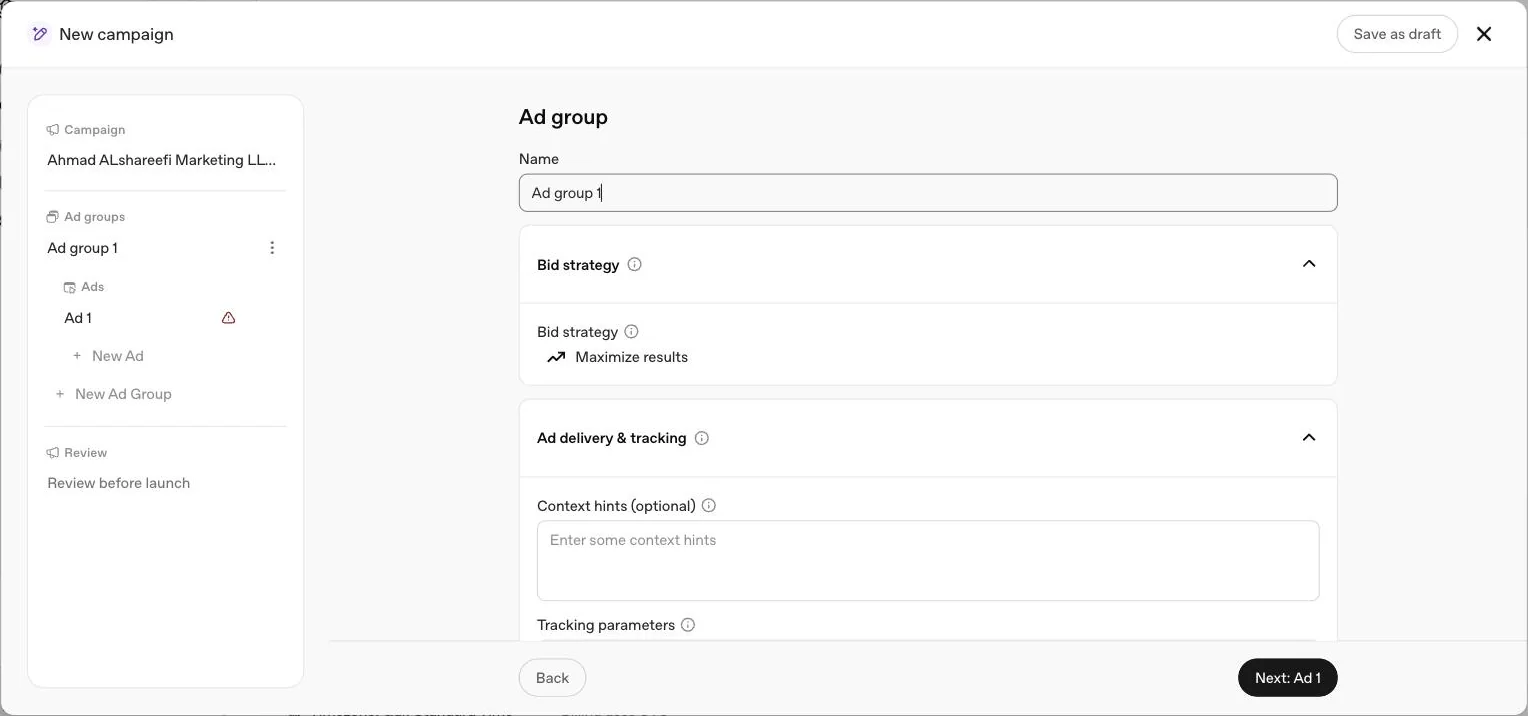
Choosing oCPC or oCPM decides how you are billed. A separate decision, made at ad group level, decides how the bid itself is set. OpenAI offers two bid strategies platform wide, and both apply to conversion optimised ad groups.
| Bid strategy | Who sets it | What it means for a Conversions campaign |
|---|---|---|
| Maximize Results | ChatGPT Ads, automatically | Selected by default for eligible new ad groups. Adjusts bids to try to get as many conversions as possible from your budget, with no stated cost efficiency target |
| Manual: Max bid | You | For a Conversions campaign this is where the Bid Cap field described below is set |
OpenAI is direct that Maximize Results prioritises result volume and does not guarantee delivery against a specific CPA, CPC, ROAS or other cost efficiency target. If you need a hard ceiling on what a conversion can cost you, switch to Manual: Max bid so the Bid Cap actually applies. The full mechanics of both strategies, including bid strength guidance and the Low bid warning, are in the bidding strategies guide.
What Bid Cap actually does
For a conversion optimised campaign using manual bidding, Bid Cap is the maximum amount you are willing to bid for a conversion. The system uses predicted conversion likelihood to translate that into an auction bid while optimising toward your selected event. Two things follow from this that are easy to miss.
First, billing still follows the model you chose. An oCPC campaign bills you for valid clicks and an oCPM campaign bills you for impressions, regardless of what Bid Cap is set to. Second, OpenAI states plainly that Bid Cap is not the price charged for a conversion and not a guaranteed cost per acquisition. Your actual cost per click or per 1,000 impressions is still determined by the auction. There is no recommended Bid Cap amount published, so this is set from your own numbers, adjusted as data accumulates, not copied from a benchmark.
A Bid Cap set too low behaves the same way a low CPC or CPM bid does elsewhere on the platform: it can limit delivery rather than simply limiting cost, because the system may not find enough auctions it can win at that predicted conversion value. A Bid Cap set generously does not guarantee more conversions either, since delivery still depends on relevance and on how many people the campaign's targeting and context hints make it eligible to reach in the first place. Treat the first one to two weeks of a new Bid Cap as a settling period, and avoid adjusting it daily based on a single day's numbers.
How oCPM conversions are attributed
Attribution under oCPM depends on the eligible conversion event and the measurement rules that apply to it. Where flexible attribution windows are available, they let you choose click through and view through reporting settings that fit your own measurement strategy, the same 7, 14 or 30 day click window and 1 day or 0 day view through window covered in the reporting guide. Because oCPM is designed to account for a broader set of eligible conversion signals, reviewing both click through and view through conversion reporting together, where available, gives a fuller picture of how ad views and clicks are each contributing to the outcome than looking at either one alone.
Relevance still decides delivery, even under Conversions
A conversion optimised campaign still enters the same relevance weighted, second price auction as every other objective. OpenAI's own description of ad selection considers the context and intent of the current conversation, the ad's landing page, title, copy and advertiser provided context hints together, not the bid or the conversion goal in isolation. This matters because it is easy to treat a Conversions objective as a purely mechanical bidding problem and forget that a vague ad group with generic context hints will still struggle to win auctions, regardless of how well tracking or Bid Cap are configured. Building tight, specific context hints and enough distinct ad variations, covered in the context hints guide and the ad examples guide, is worth doing before assuming a delivery problem is a bidding problem.
Field by field: what a conversion optimised campaign needs
| Field | What it controls | Locked at creation |
|---|---|---|
| Campaign objective | Set to Conversions to make optimisation available | Yes |
| Billing method | Clicks (oCPC) or Impressions (oCPM) | Yes |
| Conversion event | The single standard event delivery optimises toward | Yes |
| Budget | Daily or campaign total, sets the spending ceiling around the campaign | Type is effectively locked; amounts can be adjusted |
| Bid strategy | Maximize Results or Manual: Max bid | No, can be changed on a live ad group |
| Bid Cap | The maximum bid for a conversion, only relevant under manual bidding | No, can be adjusted on a live ad group |
Treating this table as a build order helps. The top three rows are the decisions to slow down on before you click create. The bottom three can be tuned once the campaign is live and gathering data.
Optimisation tips OpenAI publishes
- Choose the conversion event that best represents the campaign's actual goal, not a convenient proxy for it.
- Use an event with enough signal. Events that happen too rarely make performance harder to evaluate fairly.
- Keep conversion tracking healthy. Incomplete or misconfigured tracking makes both reporting and optimisation less effective, independent of how well the campaign itself is built.
- For oCPM, review click through and view through conversion reporting together to understand how views and clicks are each contributing.
- Adjust Bid Cap, bid strategy and other available bid controls based on delivery and results as they accumulate, since there is no recommended bid amount published.
- Review performance over enough volume before making large changes to bids, budgets or creative. A handful of early conversions is not enough evidence to act on.
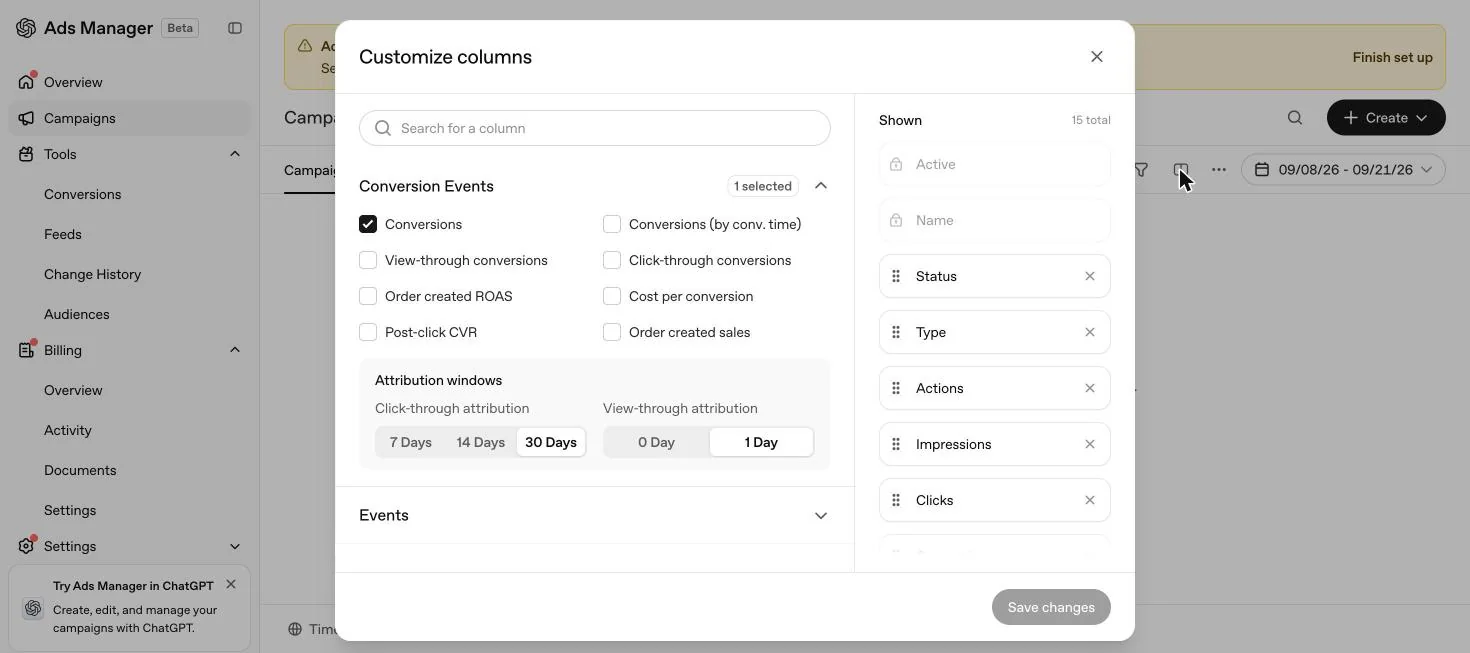
- Turn on automatic advanced matching for the website Pixel to help improve conversion matching and provide additional measurement signal for optimisation.
Building the campaign, step by step
Create a new campaign and set the objective to Conversions
This makes billing method and conversion event selection available.
Choose the billing method
Impressions (CPM) for oCPM or Clicks (CPC) for oCPC.
Choose the single conversion event
The one this campaign will optimise toward for its entire life.
Set budget, dates and locations
Allowing enough time and budget for the campaign to gather meaningful data before judging it.
Create ad groups and ads
Review the pre selected Maximize Results bid strategy, or switch to Manual: Max bid and set your Bid Cap.
Launch
Enable automatic advanced matching on your Pixel if it is not already on, since OpenAI recommends this to help conversion matching and provide additional signal for optimisation.
Monitor delivery, spend and conversion reporting together
Calculate cost per conversion as spend divided by conversions once volume has built up.
Daily budgets and the seven day average, for a conversions campaign
A conversion optimised campaign uses the same budget mechanics as any other objective, and the detail that catches people out most is that a daily budget is not a daily ceiling. OpenAI treats it as an average across a seven day period running Sunday to Saturday in the account's time zone. A single day can spend up to twice the daily budget, and the seven day total will not exceed seven times it. If a campaign uses its weekly allowance early, it can stop delivering for the rest of that week even while marked active, which on a conversions campaign looks like optimisation suddenly stalling rather than a budget issue. The full mechanics, including proration when you change a budget mid week, are in the cost guide and the daily budgets and pacing guide. For a conversions campaign specifically, we would size the daily budget with the seven day rule in mind from the start, since a campaign that exhausts its week by Tuesday has effectively stopped learning from conversion data for the remaining five days.
Campaign structure: how many campaigns, how many ad groups
OpenAI's own campaign creation guidance is structural rather than numeric: it does not publish a recommended count of campaigns or ad groups. What it does recommend is structuring campaigns around distinct business goals or initiatives, using separate campaigns for meaningfully different objectives, regions or product categories, and creating multiple ad groups within each campaign to test different themes, value propositions or messaging approaches. Applied to conversion optimised campaigns specifically, this means a lead submission goal and a purchase goal belong in separate campaigns, since they are different objectives with different conversion events, not different ad groups inside one campaign. Within a single conversions campaign, multiple ad groups are the right place to test different audiences, context hint themes or offers against the same underlying conversion event.
Product feed campaigns, cloning and bulk creation
For advertisers running a product catalogue, OpenAI's product feed campaigns are covered in full in our product feed guide, and its own mechanics for feed setup, product eligibility and the Products reporting tab are separate from the conversion optimisation settings on this page. OpenAI's conversion optimised campaigns article does not specify whether product feed campaigns support the oCPC or oCPM billing options directly, so treat that as unconfirmed until you see it offered in your own account's product feed campaign setup flow, and check the feed specific guide for what is documented there.
Cloning is the one form of bulk creation OpenAI names directly in the context of conversion optimised campaigns: you cannot switch an existing campaign's objective or billing model, but you can clone an existing campaign to use as the starting point for a new oCPM version, which carries over structure without carrying over the locked settings. For creating many ad groups or ads at once inside a campaign, OpenAI's bulk upload tools are covered separately in our bulk upload guide; nothing in the conversion optimised campaigns article suggests different bulk upload rules apply once a campaign is using oCPC or oCPM rather than CPC or CPM.
The API path: what OpenAI has published
OpenAI's help centre articles describe campaign creation entirely through the Ads Manager interface. None of the sources used for this page document a public API for creating oCPC or oCPM campaigns programmatically, setting a Bid Cap through an API call, or reading conversion campaign performance outside Ads Manager's own table view, chart view and CSV export. Where a partner integration is involved, such as Fospha or Triple Whale, the connection point is an Ads Manager generated API key used for measurement data, not campaign creation. If your team needs programmatic campaign management, that is a question for OpenAI's developer documentation directly, which sits outside the help centre sources used here, or for your account representative.
View-through conversion optimisation: what is live today
OpenAI's own wording around oCPM attribution is worth reading carefully. Its help centre article states that, where flexible attribution windows are available, they will let you choose click through and view through reporting settings that fit your measurement strategy, phrased in future tense with the qualifier where available, rather than stated as universally live for every account today. What is confirmed as live is that oCPM optimises toward a broader set of eligible conversion signals, including some that follow a view without a click, and that Ads Manager shows one day view through conversions in reporting once the view through window is switched on. Whether every account currently has the full flexible attribution window control available for oCPM specifically is not something we can confirm as universal from these sources, so check your own account's attribution window settings on a live oCPM campaign rather than assuming the reporting article's general description applies identically everywhere.
Illustration: reading cost per conversion under each billing model
This is a worked illustration using hypothetical numbers to show the arithmetic, not a benchmark or a promise. Suppose an oCPC campaign spends AED 3,000 in a week at an average CPC of AED 10, producing 300 clicks, of which 15 convert. Cost per conversion is AED 3,000 divided by 15, or AED 200. Now suppose an oCPM campaign spends the same AED 3,000 at an average CPM of AED 25, producing 120,000 impressions, of which a combined 20 click through and view through conversions are attributed. Cost per conversion here is AED 3,000 divided by 20, or AED 150. Neither figure says anything about what either billing model will actually cost your account. It only shows why OpenAI's own advice is to look at conversion volume and cost per conversion together with spend, impressions and clicks, rather than comparing the headline CPC or CPM figures across the two billing models directly.
Three UAE scenarios, illustrated
These are illustrations built from OpenAI's published mechanics, not real advertiser data.
Aesthetics clinic. The genuine goal is a booked consultation, which usually follows a WhatsApp message rather than a direct click through purchase. Starting with oCPC on a lead submission or consultation request event gives a cleaner first read, since every billed click has a traceable path to a CRM entry that can be checked by hand.
Online perfume store. The completed outcome, a purchase, happens on the website itself, which fits the oCPM case OpenAI describes: a shopper may see an ad, leave, return later without clicking again, and buy. Once purchase tracking through the Pixel and Conversions API is proven, testing oCPM on the purchase event alongside an existing oCPC test gives a view of both click driven and browsing driven conversions.
B2B software company. The demo request is the only browser visible event; the outcome that actually matters, a closed contract, is decided in a CRM weeks later. Optimise the campaign toward the demo request as the standard event, since that is what the Pixel and Conversions API can reliably see, and track the downstream close rate separately in the CRM rather than trying to feed a rare, delayed contract event into the campaign itself.
Pre-launch checklist for a conversion optimised campaign
Tracking confirmed live
The chosen standard event is firing through the Pixel, the Conversions API, or both, and has been tested end to end.
Event has enough signal
Check recent volume for the event before committing it as the sole optimisation target, since a rare event makes performance harder to evaluate.
Objective and billing model decided deliberately
Neither can be changed after creation, so this is not a setting to guess at and fix later.
Bid strategy reviewed
Confirm whether Maximize Results, the default, fits your test, or whether a manual Bid Cap and a hard cost ceiling is required instead.
Automatic advanced matching enabled
Subject to your own consent and privacy review, to support conversion matching from day one.
Enough budget and time planned
OpenAI's own advice is to give the campaign enough time and budget to gather meaningful data before judging it.
Switching objectives later
You cannot convert an existing CPM or CPC campaign into oCPC or oCPM, and you cannot switch an existing oCPC campaign to oCPM or the reverse. The objective, billing model and conversion event are all fixed at creation. To change any of them, create a new campaign. If you are moving toward oCPM specifically, OpenAI notes you can clone an existing campaign as the starting point for the new one, which carries over structure without carrying over the locked settings.
In practice this means the decision at step one of the build, objective and billing model, is the one to slow down on. Everything else, bids, budgets, creative and hints, can be adjusted inside a live campaign. This cannot.
What goes wrong
- Choosing Conversions before tracking is live. The campaign will launch, but with no reliable events to optimise toward, delivery and reporting both suffer. Confirm tracking first.
- Picking an event that fires too rarely. A completed purchase might be the right long term goal but too sparse a signal in the first weeks. Consider a qualified intermediate action instead while volume builds, covered in the conversion tracking guide.
- Treating Bid Cap as a price guarantee. It shapes the auction bid, it does not fix your cost per conversion, which is still set by the auction.
- Judging performance too early. OpenAI's own advice is to review performance over enough volume before making large changes to bids, budgets or creative, and conversions specifically take 24 to 48 hours to appear in reporting at all.
- Assuming the objective can be edited. Teams sometimes try to change a live CPC campaign to Conversions rather than building a new one, and lose time discovering it is not possible.
- Raising the Bid Cap as the first response to low delivery. OpenAI's troubleshooting guidance places the bid check alongside campaign and ad status, account verification, billing and budget, not ahead of them.
Troubleshooting: symptom, likely cause, fix
| Symptom | Likely cause | Fix |
|---|---|---|
| Campaign launched but zero impressions after 24 hours | Campaign or ad status, account verification, billing, or budget and spending allowance | Work through OpenAI's checklist in order: status, verification, billing, budget, before touching the bid |
| Delivery is low despite an adequate budget | Bid does not reflect the selected conversion, or there is an ad group bid warning | Review the bid against the conversion event, not a click, and check for a Low bid warning on the ad group |
| Conversions column stays at 0 despite spend | Configured event does not match what the Pixel or Conversions API is actually sending | Confirm the event type and, for custom events, the exact name, then retest with new traffic |
| oCPM campaign shows conversions but few clicks | Working as designed; oCPM can attribute conversions that follow a view without a click | Review click through and view through conversions together rather than expecting every conversion to have a click |
| Weekly daily budget used up early, delivery stops mid week | OpenAI's own guidance: using the weekly allowance early can stop delivery for the rest of the week | Pace spend across the week, or raise the daily budget if consistent early exhaustion is the pattern |
What OpenAI has not published
OpenAI states there is no recommended Bid Cap amount, but its help centre articles go further in what they leave open. There is no published numeric scale for bid strength guidance, no stated typical cost per conversion by industry or region, no timeline for how quickly a conversion optimised campaign moves out of an initial learning period, and no comparison of how much faster or slower oCPM typically accumulates conversion volume compared with oCPC for a similar budget. Where OpenAI is silent, the reasonable approach is to test with enough budget and time to gather your own numbers rather than assume a platform default reflects your market. This is also why the illustration above uses invented figures rather than published ones: OpenAI has not released real cost per conversion data by objective, industry or region for advertisers to benchmark against.
Reading performance once it is live
For oCPC, Average CPC is the main cost metric, and Conversions is the outcome metric to watch since delivery is already optimising toward that event. For oCPM, Average CPM and impressions are the billing and delivery metrics, with conversion volume, cost per conversion, and the split between click through and view through conversions as the outcome side. Look at conversion volume together with spend, impressions, clicks and the attribution windows selected for the campaign, not conversions in isolation. The full mechanics of reading these numbers, including the attribution window settings and CSV exports, are in the reporting guide.
A 30-day launch plan
This is our own opinion on sequencing a first conversion optimised campaign, not an OpenAI published plan.
Days 1 to 3: confirm tracking, do not launch yet
Test the chosen standard event end to end through the Pixel, the Conversions API, or both, and confirm it appears correctly configured against the campaign before spending anything.
Days 4 to 7: launch with Maximize Results
Let the default bid strategy run so the system has room to find delivery, rather than constraining it with an untested Bid Cap from day one.
Days 8 to 14: read direction, not conclusions
Conversions take 24 to 48 hours to appear and totals can still change as recent events process, so treat the first week's numbers as a signal to watch, not a verdict to act on.
Days 15 to 21: reconcile against the CRM
Match Ads Manager's Conversions total against real leads or sales in the CRM, using conversion time rather than event time where the two matter to your sales cycle.
Days 22 to 30: decide on a manual Bid Cap
If cost per conversion is broadly acceptable but delivery feels unpredictable, this is the point to test switching to Manual: Max bid with a Bid Cap informed by the first three weeks of real data, not a platform default.
AI search visibility is a separate question
Some agencies present ChatGPT ads campaign management alongside services that track how a brand appears in ChatGPT's unpaid, organic answers, sometimes marketed as AI search visibility or answer engine optimisation. That is a different discipline from conversion optimised campaigns. This page is about paid delivery, bid mechanics and conversion events inside Ads Manager. Whether ChatGPT mentions a brand unprompted in a normal conversation is governed by entirely different signals, and none of OpenAI's Ads Manager help centre articles connect the two. Treat a vendor who blends the two as making a service bundling choice, not describing an Ads Manager feature.
A UAE view on choosing between oCPC and oCPM
For a UAE service business testing ChatGPT ads for the first time, starting with oCPC on a lead submission or an equivalent intermediate action usually gives a cleaner first read, because every billed click has a direct line to a conversion event you can check against the CRM. oCPM is worth testing once tracking is proven and you have a purchase or high value completed outcome as the event, since it is designed to capture the browsing and returning behaviour that a single click based window misses, and Gulf buying decisions for higher value services often do involve exactly that kind of return visit days later.
Either way, resist switching between oCPC and oCPM mid test to chase a better looking number. Because each requires a new campaign with its own learning period, swapping back and forth resets the very volume you need before a fair read is possible. Pick one, run it for long enough to gather meaningful data, and only then decide whether the other billing model is worth a separate test alongside it. Size the test on outcomes, not on the platform minimum. The ChatGPT ads cost guide covers minimum daily budgets and how the seven day budget rule affects a conversions campaign in practice, and the UAE guide covers what else to check before comparing the result against Google and Meta.
Quick answers
What is the difference between oCPC and oCPM on ChatGPT ads?
Both optimise delivery toward a conversion event you choose. oCPC bills you for valid clicks and optimises toward conversions that follow a click. oCPM bills you for impressions served and optimises toward a broader set of eligible conversions, including some that follow a view without a click.
Does a conversion optimised campaign mean I pay per conversion?
No. OpenAI states this directly. With oCPC you are billed for valid clicks. With oCPM you are billed for impressions served. The conversion event only decides what the system optimises delivery toward.
What does Bid Cap actually control?
Bid Cap is the maximum amount you are willing to pay for a conversion, used by the system to determine an auction bid based on predicted conversion likelihood. It is not the price you are guaranteed to pay, and your actual cost per click or per 1,000 impressions is still set by the auction.
Can I change the objective or event after a campaign is created?
No. OpenAI is explicit that the campaign objective, billing model and conversion event cannot be changed after creation. To use a different one, you create a new campaign, and you can clone an existing campaign as a starting point for a new oCPM version.
Can I optimise toward a custom conversion event?
Not currently. OpenAI states that custom conversion events are not supported for conversion optimised campaigns. At least one supported standard event has to be available before you create the campaign.
Is there a recommended Bid Cap amount?
No. OpenAI states there is no recommended bid amount for conversion optimised campaigns. It advises reviewing performance over enough volume before making large changes to bids, budgets or creative.
Will clicks still matter if I choose oCPM?
Yes. OpenAI says clicks remain a valuable signal of interest and conversions that follow a click continue to matter under oCPM. Impression billing widens the set of eligible signals, it does not remove clicks from consideration.
Is Maximize Results the default bid strategy for a conversion optimised campaign?
Maximize Results is selected by default for eligible new ad groups generally, optimising toward your campaign goal automatically. You can switch to Manual: Max bid, which for a Conversions campaign is where you set the Bid Cap yourself.
Why is my conversion optimised campaign not getting impressions?
OpenAI's troubleshooting guidance points first at campaign and ad status, account verification and billing, budget and spending allowance, and then specifically at whether your bid reflects the selected conversion rather than a click, alongside any ad group bid warnings.
How many conversion events can one campaign optimise toward?
One. Each conversion optimised campaign uses exactly one selected conversion event, chosen at creation, and it cannot be changed afterwards.
Can I clone a campaign to move from oCPC to oCPM?
You cannot switch a live campaign's billing model, but OpenAI notes you can clone an existing campaign to create a new oCPM version, which carries over structure without carrying over the locked objective, billing model or event.
Does raising my Bid Cap guarantee more conversions?
No. OpenAI's troubleshooting guidance states that raising a bid does not guarantee delivery generally, and for conversion campaigns specifically it advises confirming the bid reflects the selected conversion before assuming a higher number alone will fix low delivery.
Related
Conversion tracking
How OpenAI measures conversions, what the oppref click reference is, why Pixel plus Conversions API beats either alone, and how to handle WhatsApp and phone sales in the UAE.
Event quality
Every event quality warning OpenAI shows for a Pixel or data source, what each one actually means, and the specific fix for each, including UAE CRM setups.
ChatGPT ads cost in AED
OpenAI publishes no rate card. Here is what it does publish: billing by objective, a suggested starting CPC bid, the AED 65 daily minimum and how budgets really pace.
Bidding strategies
Manual max bid, Maximize Results and Bid Cap for conversions. How OpenAI's relevance weighted auction actually decides what wins, and when each bid strategy fits.