
Every event quality warning OpenAI shows for a Pixel or data source, what each one actually means, and the specific fix for each, including UAE CRM setups.
On this page
- The short version
- What event quality is and is not
- The rule that applies to every fix on this page
- Where to find event quality, and how to work the warnings
- All nine warnings at a glance
- How this compares to other platforms' matching diagnostics
- Every warning, what it means and what to do
- Why a score or check can be unavailable
- Definitions used on this page
- A field by field reference: what each check actually inspects
- Which side of your stack each check maps to
- Deduplication, and the two warnings it causes
- A practical order to work through warnings
- Pre-launch checklist: event quality before you optimise for conversions
- Why your score dropped
- Prioritising when several warnings appear at once
- Which warnings apply per data source and which apply per goal
- A weekly event quality routine
- Three UAE scenarios, illustrated
- What OpenAI has published, and what it has not
- How this connects to conversion optimised campaigns
- A UAE specific pattern worth checking
- Quick answers
The short version
Event quality is a daily score OpenAI attaches to each Pixel or data source, built from seven complete calendar days of activity. It tells you whether the conversion data you are sending is actually useful for measurement, not whether your campaign is performing well. Each warning has a specific, checkable cause, and OpenAI is firm that the fix is always to send accurate data more completely, never to invent activity to satisfy the score.
What event quality is and is not
Event quality helps you understand whether the conversion information received from your selected data source is useful for measurement. Each Pixel or data source gets its own assessment. OpenAI states plainly that the score and its warnings do not predict campaign performance and do not guarantee that a conversion will match to an ad. Treat it as a health check on your plumbing, separate from whether the campaign itself is working.
The score refreshes daily using seven complete calendar days of data, with extra time allowed for recent events to arrive. After you change your setup, confirm new events are arriving as expected. Improvements appear gradually as earlier, lower quality events roll out of the seven day window rather than instantly. If a daily refresh is delayed, your previous score stays visible rather than disappearing.
The rule that applies to every fix on this page
Only send information you are permitted to share, and respect the person's privacy and consent choices. Use real customer information and real business actions. OpenAI states directly that you should not send extra events, invent identifiers, or change event times to improve a score. Every fix below means sending what already happened more accurately and more completely, not sending more.
Where to find event quality, and how to work the warnings
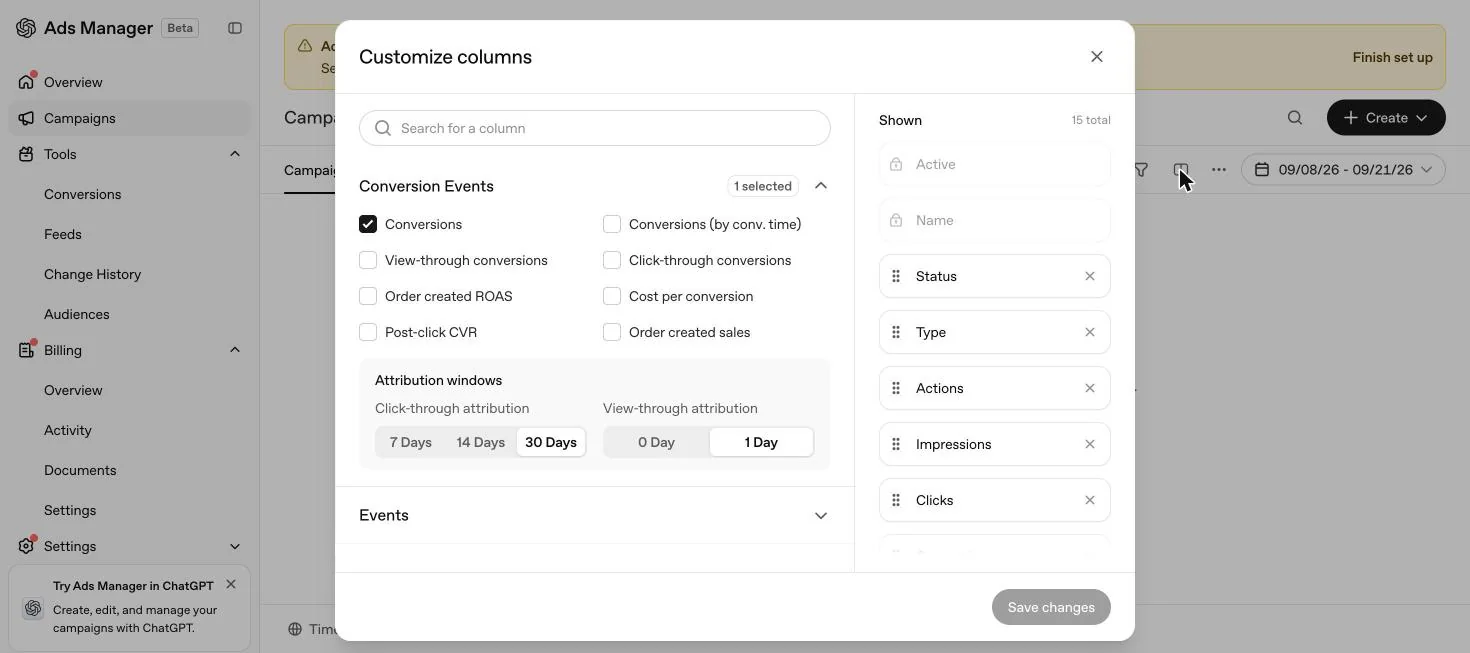
OpenAI's help centre articles describe event quality as an assessment attached to each Pixel or data source, worked through by opening the warnings for the selected data source and reviewing each issue in turn. Based on where data sources themselves live, under Tools then Conversions, the event quality assessment for a given source sits within that same area of the account. In our own new UAE account, the Conversions screen had not finished loading any content on 21 September 2026, because account setup, meaning billing and the account logo, was not yet complete, so we cannot show you the assessment view directly here. Once a data source has real activity, OpenAI's own advice is to open the warnings for it and start with the ones you can verify directly in your own integration, covered in the practical order later on this page.
All nine warnings at a glance
Before working through each warning in detail, this is the full set OpenAI documents, with the one line version of what each is checking and where to start.
| Warning | What it checks | Start by checking |
|---|---|---|
| Limited email or customer ID information | Whether eligible events carry an email or stable customer identifier | Form fields, normalisation and hashing on both browser and server |
| Ad click information is missing or cannot be connected | Whether clicked conversions carry connectable click information | Whether oppref survives redirects and reaches the server event |
| Conversions API events are delayed | Whether server events arrive within about one hour of the action | Queues, retries and whether the original timestamp is preserved |
| Conversion matches need review | Whether potential matches were removed during attribution checks | Duplicate tags, repeated callbacks, and event ID consistency |
| Many conversions are linked to the same ad interaction | Whether assessed conversions are unusually concentrated | Repeated page loads, refreshes, or the same action firing more than once |
| Limited additional matching information | Whether phone, name, location, IP and user agent are present | Which of these fields your integration actually sends |
| Limited event types observed | Whether browsing, intermediate and completed outcome activity is all represented | Whether the whole customer journey is mapped and captured |
| Limited Pixel and Conversions API activity | Whether either channel has enough accepted activity to assess | Whether requests are actually being accepted, not just sent |
| Limited activity for a configured conversion goal | Whether a specific conversion goal has enough received events during the assessment window | The affected goal's event name and configuration against what actually fires |
How this compares to other platforms' matching diagnostics
Other major ad platforms publish their own version of a matching quality diagnostic, under their own names and their own methodology. This guide is sourced exclusively from OpenAI's own help centre articles, so we have not independently verified any other platform's current mechanics as part of researching it, and we are not going to describe another platform's scoring here. What is worth knowing, in our own view, is that the underlying discipline is not unique to OpenAI. If your team already manages a similar diagnostic on another platform, the fixes transfer directly: complete identifiers, a preserved click reference, prompt server side delivery and consistent event IDs are the same habits any platform's matching tool rewards, OpenAI's included.
Every warning, what it means and what to do
Limited email or customer ID information
Conversion events eligible for this check showed limited email or stable customer ID information. These identifiers help connect events to the correct person, though a low result can also reflect a processing or integration issue rather than truly missing data.
- Check that eligible conversion events include an email address or your own stable customer identifier, through the fields your integration supports.
- Keep the same identifier for the same person. Do not reuse a shared, placeholder or default identifier across different people.
- Follow the normalisation and hashing instructions for your integration, and check both browser and server implementations if you use both.
- Test one completed conversion through the real customer journey and confirm the expected fields are actually present in the event.
Ad click information is missing or cannot be connected
Some assessed conversions tied to an ad click did not carry click information that could be connected back to that click. This check covers the clicked conversions OpenAI can assess, not every ad click.
- Preserve the oppref parameter from the moment someone lands on your site from an ad, through every redirect and navigation.
- If you send conversions through the Conversions API, pass that person's click information into the server event.
- Test the full path, including tracking links, redirects, checkout and any handoff between browser and server.
- Do not reuse another person's click information or substitute a default value to fill the gap.
Conversions API events are delayed
Some assessed server events arrived too long after the recorded action, or their timing could not be assessed correctly. The check looks for receipt within one hour of the action.
- Send the event promptly after the business action is actually confirmed, not on a batch delay.
- Check scheduled uploads, queues, failed requests and retry delays in your own systems.
- Keep the original time of the action when retrying an event. Do not replace it with the upload time.
- Verify the timestamp format, units and clock settings used in your integration.
Conversion matches need review
Some potential conversion matches were removed during attribution checks, which can be caused by repeated callbacks for the same action, inconsistent timing, or too many matches linked to the same ad view. This does not mean the underlying business events were deleted or invalid.
- Check that a conversion fires after a real, confirmed action, such as a completed order or finished registration.
- Review repeated page loads, duplicate tags, callbacks and retries that might send the same action more than once.
- Use a consistent event ID for copies of the same action, browser and server alike, and different IDs for genuinely distinct actions.
- Preserve the action's original timestamp and investigate any mismatch against your own business records.
Many conversions are linked to the same ad interaction
Conversions OpenAI can assess are unusually concentrated on a small number of ad clicks or views. A customer can legitimately complete several actions after one interaction, so this warning alone does not prove duplicate or invalid events.
- Check whether a page load, refresh, callback or retry is repeatedly sending the same business action.
- Confirm distinct actions carry distinct event IDs, and that retries preserve the original event ID rather than generating a new one.
- Review whether conversion events fire at the intended stage of the customer journey.
- If the pattern reflects real repeat purchases or several legitimate steps, keep those events and document the behaviour if you ask support to review the warning.
Limited additional matching information
Eligible conversion events carry limited additional matching information. This check looks at phone information, name and location information, and the combination of client IP address and user agent. It measures whether that information is present, not whether a person was successfully matched.
- Include phone information where available and eligible to share, using your integration's supported field and formatting.
- For name and location, provide first name, last name, postal code and country for the same person, following the required hashing and normalisation rules.
- For server events, forward the real client IP address and user agent when your integration supports it. Do not substitute your own server's address or a generic user agent.
- Keep sending eligible email or stable customer ID information alongside this, since the checks work together rather than in isolation.
Limited event types observed
Activity is limited across the standard event groups OpenAI checks: browsing, intermediate actions, and completed outcomes. Different businesses have different journeys, so not every stage applies to every advertiser, and this check does not verify that a whole funnel is complete.
- Map the actual steps in your customer journey and identify which stages genuinely apply to your business.
- Capture applicable actions such as viewing content, adding items, starting checkout or submitting a lead, and completing an order, starting a trial or booking an appointment.
- Use a supported standard event where it accurately represents the action. Custom events are not included in this particular breadth check.
- Test that each event fires only when its matching action actually occurs. Do not create artificial funnel stages purely to clear the warning.
Limited Pixel and Conversions API activity
OpenAI has not observed enough accepted activity from the supported Pixel SDK or Conversions API channels to assess them positively. Installing an integration alone does not establish that events are actually arriving.
- Verify the Pixel SDK is sending browser events and the Conversions API integration is sending confirmed server outcomes, wherever each fits your setup.
- Check that requests are being accepted and reaching the intended data source rather than failing silently.
- When both channels report the same action, use the same Pixel ID, event name and event ID so the two copies can be recognised as one.
- Keep distinct events for distinct actions, and never send an outcome before it has actually happened.
Limited activity for a configured conversion goal
At least one configured conversion goal has very few or no received events during the assessment window. Other goals attached to the same data source can look healthy while this one shows the warning, and received events here include events that were not matched to an ad.
- Compare the affected goal's event name and configuration against what your integration is actually sending.
- Confirm the event fires when the real action occurs and that recent events are being received.
- Review goals that are outdated or no longer represent an action you actually want to measure, and remove or replace them.
- If the action is genuinely rare, or recent demand is simply low, continue monitoring rather than treating low volume alone as a setup defect.
Why a score or check can be unavailable
| Reason shown | What it means |
|---|---|
| No configured conversion goals | Confirm you have configured the actions you want to measure and your integration sends the matching events |
| Not enough conversion activity | Recent activity is too sparse for a useful score, which is different from a score of zero |
| Not enough attribution evidence | Some checks need observable connections between conversions and ad clicks or views, which can still be building even while real events arrive |
| Limited information for a check | A specific check needs more eligible events or observable activity, and missing information is not automatically treated as a failed check |
| Data is still being processed | The first assessment is not ready yet, or the latest one is incomplete, and a delayed refresh does not remove an existing score |
Definitions used on this page
A field by field reference: what each check actually inspects
| Check | Primary field inspected | Where the fix usually lives |
|---|---|---|
| Limited email or customer ID information | Email address, stable customer identifier | Form field capture and hashing, both browser and server |
| Ad click information missing | oppref click reference | Redirect chain, language switchers, consent tools |
| Conversions API events delayed | Event timestamp versus receipt time | Server queue, batch schedule, retry logic |
| Conversion matches need review | Event ID consistency, timestamp accuracy | Deduplication logic, tag manager configuration |
| Many conversions linked to one interaction | Concentration of events per click or view | Page load and callback behaviour, retry logic |
| Limited additional matching information | Phone, name, postal code, country, IP, user agent | Server side forwarding of real client information |
| Limited event types observed | Coverage across browsing, intermediate, completed stages | Funnel mapping and standard event selection |
| Limited Pixel and Conversions API activity | Volume of accepted events per channel | Confirming requests are accepted, not just sent |
| Limited activity for a configured conversion goal | Event volume per named goal, not per data source | Goal configuration against what is actually being sent |
Which side of your stack each check maps to
Not every warning has the same owner inside your team. Splitting them by where the likely fix lives helps route each one to the right person faster.
| Check | Usually a browser side fix | Usually a server side fix |
|---|---|---|
| Limited email or customer ID information | Yes, form field capture and Pixel hashing | Yes, if the same identifier also needs to flow through the Conversions API |
| Ad click information missing | Yes, preserving oppref through redirects | Yes, passing click information into server events |
| Conversions API events delayed | No | Yes, entirely a server side queue and timing issue |
| Conversion matches need review | Sometimes, duplicate tag firing | Sometimes, retry logic generating new event IDs |
| Many conversions linked to one interaction | Sometimes, page reloads and refreshes | Sometimes, server side retries and callbacks |
| Limited additional matching information | Yes, form fields for phone, name and location | Yes, forwarding real IP address and user agent |
| Limited event types observed | Yes, mapping the on site funnel | Yes, mapping the off site funnel, CRM and booking stages |
| Limited Pixel and Conversions API activity | Yes, confirming the Pixel fires | Yes, confirming the Conversions API is accepted |
| Limited activity for a configured conversion goal | Depends on where that specific goal's event originates | Depends on where that specific goal's event originates |
Deduplication, and the two warnings it causes
Two of the nine warnings trace back to the same underlying discipline: whether your event ID logic is consistent. Conversion matches need review can appear when repeated callbacks, inconsistent timing or too many matches linked to the same ad view remove a potential match during attribution checks. Many conversions are linked to the same ad interaction can appear when assessed conversions concentrate unusually on a small number of clicks or views, which is exactly what happens when the same action is sent more than once under different event IDs. Both warnings can also appear from entirely genuine activity, several real actions after one ad interaction, so neither one alone proves a duplicate event exists. The shared fix is the one covered in the conversion tracking guide: a single, agreed event ID for each real action, generated the same way whether the event travels through the Pixel or the Conversions API.
A practical order to work through warnings
- Start with issues you can verify directly in your own integration, such as missing matching information, delayed server events or events firing more than once.
- Investigate the likely cause before changing anything, using the specific checks listed above for that warning.
- Make one change, then confirm new events arrive as expected before moving to the next warning.
- Give it time. Scores refresh daily on a seven day rolling window, so a fix shows up gradually as earlier, lower quality events age out, not immediately.
- If accurate events keep triggering a warning after you have checked the likely causes, contact support with the data source, the affected event names, the date range and the checks already completed.
Pre-launch checklist: event quality before you optimise for conversions
At least one standard event configured and firing
Custom events are not eligible as an optimisation target, so confirm the standard event you plan to use has recent activity.
oppref confirmed surviving your redirect chain
Including any language switcher, checkout handoff or consent tool, since this is the most common source of the ad click information warning.
Event ID logic agreed across every team sending events
To avoid triggering conversion matches need review or many conversions linked to the same interaction from day one.
Automatic advanced matching enabled
Subject to your own consent review, to support the matching information checks before launch rather than after a warning appears.
Funnel stages mapped
Confirm you are capturing at least one browsing, one intermediate and one completed outcome event where each genuinely applies to your business.
Why your score dropped
OpenAI does not publish a list of causes for a score decline specifically, but each warning's own documented cause implies what to look for when a previously healthy data source starts showing one. These are our own practical mappings, built from the checks OpenAI documents, not an OpenAI published list.
| Something changed on your side | Warning it is likely to trigger |
|---|---|
| Site redesign or new checkout platform | Ad click information missing, if the new flow does not preserve oppref through the same redirects |
| CRM or booking system migration | Conversions API events delayed, or limited activity for a configured goal, if the new system sends events on a different schedule |
| New consent management tool | Limited email or customer ID information, or ad click information missing, if the tool strips parameters or blocks the Pixel before consent is granted |
| Marketing team adds a new tag manager trigger | Conversion matches need review, or many conversions linked to the same interaction, if the new trigger duplicates an existing one |
| Sales team stops entering phone numbers in the CRM | Limited additional matching information |
| A conversion goal quietly becomes unused as the business changes | Limited activity for a configured conversion goal |
Prioritising when several warnings appear at once
Our own view on sequencing, not an OpenAI published order: address warnings that block a conversion optimised campaign's core event first, since that is the event delivery actually depends on; address warnings tied to your highest value completed outcome second; and treat matching information warnings, phone, name and location, as valuable but lower urgency than a warning showing the core event itself is not arriving or not connecting to a click at all. A goal with limited activity that you no longer use is worth removing rather than chasing, since OpenAI's own guidance is that low volume on a genuinely rare or low demand action is not automatically a setup defect.
| Priority | Warning type | Reasoning |
|---|---|---|
| First | Limited Pixel and Conversions API activity on your core event | Nothing else can be diagnosed until the core event is actually arriving |
| First | Limited activity for a configured conversion goal, on the goal a live campaign optimises toward | Directly limits what a conversion optimised campaign can learn from |
| Second | Ad click information missing, conversion matches need review, many conversions linked to one interaction | These affect how correctly attributed the events are, once you know they are arriving |
| Third | Limited email or customer ID information, limited additional matching information | Improves matching quality further but is not usually the reason a core event shows zero |
| Ongoing, not urgent | Limited event types observed, where the missing stage genuinely does not apply to your business | Worth reviewing, but not every business has activity at every stage |
Which warnings apply per data source and which apply per goal
Most checks assess the whole data source. One does not.
| Scope | Warnings |
|---|---|
| Whole data source | Limited email or customer ID information, ad click information missing, Conversions API events delayed, conversion matches need review, many conversions linked to the same interaction, limited additional matching information, limited event types observed, limited Pixel and Conversions API activity |
| A single named conversion goal | Limited activity for a configured conversion goal |
This distinction matters when a data source with several conversion goals shows only one warning. OpenAI states plainly that other goals on the same source can have healthy activity while one specific goal shows the warning, so a single goal level warning is not evidence the whole data source needs attention.
A weekly event quality routine
| Day | Action |
|---|---|
| Monday | Open each active data source and note any warning that is new since last week |
| Monday | Cross check the affected goal's recent event volume against what your integration should be sending |
| Tuesday to Thursday | Investigate and fix one warning at a time, confirming new events arrive correctly before moving to the next |
| Friday | Check whether a fix made earlier in the week has started to show improvement, remembering scores move gradually over the seven day window |
| Following Monday | Reassess. A fix made this week will not be reflected in a stable way until roughly a week of corrected events has accumulated |
Three UAE scenarios, illustrated
These are illustrations, not real advertiser data, showing which warnings a given business pattern is likely to surface first.
| Business | Most likely warning | Why |
|---|---|---|
| Aesthetics clinic | Limited email or customer ID information, limited event types observed | The highest value event, an attended consultation, is confirmed by staff off the web form, often without an email captured at that point |
| Online perfume store | Ad click information is missing or cannot be connected | Checkout redirects or a payment gateway handoff can drop oppref before the order confirmation event fires |
| B2B software company | Limited activity for a configured conversion goal | The completed outcome, a signed contract, is confirmed in a CRM weeks after the demo request, and sales teams do not always treat it as a tracking event |
Aesthetics clinic. A web form captures a page view and a consultation request, but the completed outcome, an attended and paid consultation, is confirmed by staff in a booking system, often without an email address collected at that stage. This pattern typically shows limited email or customer ID information and limited event types observed, not because tracking is broken, but because the highest value event lives entirely off the web form.
Online perfume store. Checkout collects email and often phone number by default, so matching information checks tend to look healthy quickly. The more likely warning here is ad click information missing or cannot be connected, usually traced to a checkout platform redirect, a payment gateway handoff, or an app link that does not preserve oppref through to the order confirmation page.
B2B software company. Demo requests are well captured, but the completed outcome, a signed contract, is confirmed in a CRM weeks later by a sales team who may not think of it as a tracking event at all. This usually shows as limited activity for the completed outcome goal specifically, while the demo request goal on the same data source looks healthy, which is exactly the goal specific pattern OpenAI describes rather than a wholesale tracking failure.
We do not have a live, scored UAE account to show a real event quality screen from. Our own account's Conversions area had not finished loading when we checked it on 21 September 2026, since account setup was not yet complete, so the table above is our best sourced estimate of likely patterns, not a screenshot of a real result.
What OpenAI has published, and what it has not
| Aspect | Published by OpenAI | Not published |
|---|---|---|
| What each warning checks | Yes, in detail, covered above | Not applicable |
| How often the score refreshes | Yes, daily on a seven day window | Exact time of day the refresh runs |
| Numeric score scale or pass and fail threshold | No | No scale, percentage or points system is described |
| How many warnings is normal for a healthy account | No | No benchmark count is given |
| Whether event quality requirements differ by campaign objective | No | No statement on whether oCPM needs a higher score than oCPC |
| What to send support if a warning will not clear | Yes, data source, event names, date range, checks completed | Not applicable |
Where the guidance is silent, treat every warning as worth investigating on its own merits rather than trying to hit an unpublished target number.
How this connects to conversion optimised campaigns
Event quality is not a separate concern from campaign performance, even though the score itself does not predict it. A conversion optimised campaign, covered in the conversion campaigns guide, can only optimise toward events it receives with enough quality to be usable. Weak matching information or delayed server events do not just cost you a clean score, they cost the campaign real signal it needs to find more of the right outcome. Set up the underlying Pixel and Conversions API correctly first, as covered in the conversion tracking guide and the Pixel guide, then use event quality as an ongoing check that the setup is still healthy as your site, CRM or checkout changes. Once conversions are flowing cleanly, the reporting guide covers how to read the resulting numbers, including the same event time versus conversion time distinction that often explains why a timestamp based warning appears even on genuinely healthy tracking.
A UAE specific pattern worth checking
UAE businesses running WhatsApp click to chat and phone leads alongside a web form often see the limited event types or limited matching information warnings, not because tracking is broken but because most of the customer journey genuinely happens off the website after the first click. If your completed outcome is a sale confirmed in a CRM days after a WhatsApp conversation, make sure that outcome is sent back through the Conversions API with the original click reference and a real customer identifier such as a phone number or email, formatted and hashed as your integration requires, rather than leaving the web Pixel as the only channel reporting activity. That single change usually addresses several warnings at once, because they are often symptoms of the same missing server side step.
Quick answers
What does event quality actually measure?
Whether the conversion information received from your data source is useful for measurement. OpenAI is explicit that the score and its warnings do not predict campaign performance and do not guarantee that a conversion will match to an ad.
How often does my event quality score update?
It refreshes daily using seven complete calendar days of data, with extra time allowed for recent events to arrive. If a refresh is delayed, your previous score stays visible until a newer one is ready.
Why do I have no event quality score at all?
OpenAI lists several reasons: no configured conversion goals, not enough conversion activity yet, not enough attribution evidence, limited information for a specific check, or data still being processed. None of these mean your business has no real conversions.
Should I send extra events to improve my score?
No. OpenAI's guidance is explicit: only send information you are permitted to share, use real customer information and real business actions, and do not send extra events, invent identifiers or change event times to improve a score.
What is the fastest fix for the missing click information warning?
Preserve the oppref parameter through every redirect and page navigation between the ad click and the confirmation page, and if you send conversions through the Conversions API, pass that same click information into the server event.
Does a low event quality score mean my ads are performing badly?
No. OpenAI states the score does not predict campaign performance. It is a diagnostic on your measurement setup, not a verdict on your ads or targeting.
Can I contact OpenAI support about an event quality warning?
Yes, if events are accurate and a warning persists after you have checked the likely causes. Include the data source, the affected event names, the date range and the checks you have already completed.
Does event quality check custom conversion events?
Not fully. The limited event types observed check, which looks at browsing, intermediate and completed outcome activity, explicitly excludes custom events. Other checks that look at matching information and timing apply to eligible events generally.
Why does one conversion goal show a warning while another on the same data source looks healthy?
The limited activity for a configured conversion goal warning is goal specific. OpenAI states other goals attached to the same data source can have healthy activity while one goal shows the warning, so check the specific goal named, not the whole data source.
Can duplicate events hurt my event quality score even if the sales are real?
Yes, indirectly. The conversion matches need review and many conversions linked to the same ad interaction warnings can appear when the same action is sent more than once with different event IDs, even though the underlying business activity is genuine.
Should I check event quality before or after launching a conversion optimised campaign?
Before, where possible. A conversion optimised campaign can only optimise toward events it receives with enough quality to be usable, so a healthy score before launch reduces the chance of an early campaign learning from weak signal.
What information does OpenAI ask for if a warning will not clear?
The data source, the affected event names, the date range, and the specific checks you have already completed to confirm the underlying events are accurate.
Related
Conversion tracking
How OpenAI measures conversions, what the oppref click reference is, why Pixel plus Conversions API beats either alone, and how to handle WhatsApp and phone sales in the UAE.
Conversion optimised campaigns
How OpenAI's conversion optimised campaigns work, the difference between oCPC and oCPM billing, what a Bid Cap actually controls, and how to choose an event.
Reporting and attribution
Every metric in OpenAI Ads Manager, how click and view conversions are counted, the 7, 14 and 30 day windows, reporting lag and how to export daily data.
The OpenAI Pixel
What the OpenAI Pixel captures, how to install it, the shared event ID with the Conversions API, testing it properly and the failures that show up most.