
How to build a custom audience from a customer list, the 25,000 user minimum for inclusion targeting, exclusion rules and audience bid multipliers, from OpenAI's own article.
On this page
- The short version
- The three ways to use a custom audience
- Preparing your file
- Identifier formatting rules
- Creating the audience in Ads Manager
- Audience statuses
- The 25,000 rule in practice
- Adding a bid multiplier at ad group level
- Keeping an audience up to date
- A worked example of a mixed identifier CSV
- Three ways a UAE business typically uses this feature
- Data you are allowed to upload
- Common mistakes
- UAE specifics
- Quick answers
The short version
A custom audience is your own customer or prospect list, uploaded as a CSV or TXT file, that you can then use three ways: to limit a campaign to people already on your list, to keep a campaign away from people on your list, or to bid more or less for an ad group when the viewer matches a list. Inclusion targeting and bid adjustments both need at least 25,000 matched users. Exclusions do not. Everything below comes from OpenAI's own custom audiences article.
The three ways to use a custom audience
Inclusion and exclusion can both be used in the same campaign. When they are, OpenAI's rule is that the eligible audience is everyone in an included list, minus anyone also in an excluded list, and that resulting group must still meet the 25,000 minimum for inclusion targeting. A custom audience cannot be set as both included and excluded in the same campaign.
Preparing your file
Choose your identifier type
Email address, phone number, SHA-256 hashed email, SHA-256 hashed phone number, or Google Advertising ID. A single CSV upload can mix identifier types across columns.
Build a valid UTF-8 CSV or TXT file
Up to 500 MB, or 500,000,000 bytes. A UTF-8 byte order mark is accepted. If you exported from another tool, re-save as UTF-8 before uploading.
Add a header row for CSV files
Use OpenAI's supported column names for each identifier present, such as email, phone_number, email_sha256, phone_number_sha256 or gaid. TXT files skip the header and use one identifier per line, with the identifier type chosen during upload.
Format each identifier correctly
See the formatting table below. A file that mixes formats incorrectly will not match as many rows as it should, even if the upload itself succeeds.
Identifier formatting rules
| Identifier | Formatting rule |
|---|---|
| Email address | One @ symbol. Uppercase is accepted and normalised to lowercase. Leading and trailing spaces are removed. Spaces inside the address are not accepted |
| Phone number | E.164 format, including the + and country code. Spaces, dashes, parentheses and periods are removed during normalisation. A number without a country code is not accepted |
| SHA-256 hashed email | Hash the email after lowercasing and trimming it. Must be a 64 character hex digest |
| SHA-256 hashed phone number | Hash the normalised E.164 number, including the + and country code. Must be a 64 character hex digest |
| Google Advertising ID (GAID) | Use the valid GAID as issued. Do not remove dashes and do not hash it |
For a UAE customer list, that means phone numbers need the +971 prefix before hashing or uploading, not the local 05x format most CRMs store by default. A list exported straight from a UAE CRM often needs this reformatting step before it will match correctly.
Creating the audience in Ads Manager
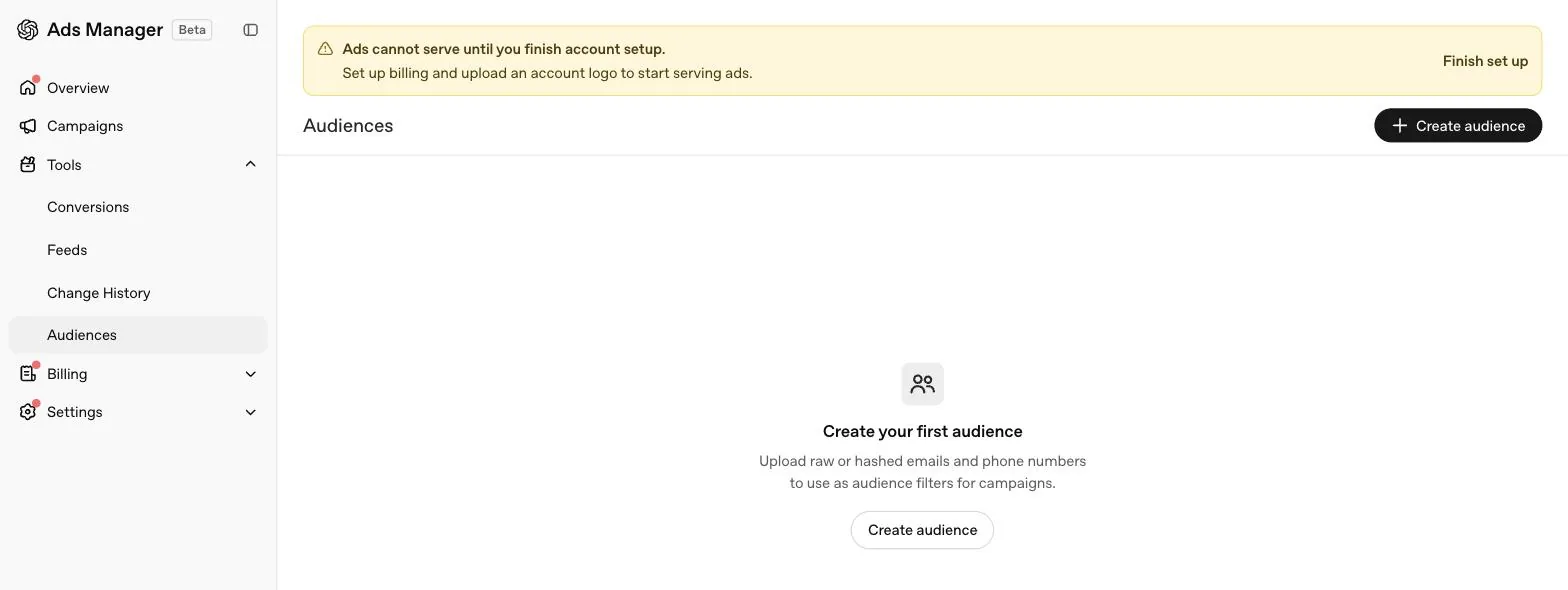
Open Tools, then Audiences
In the left sidebar of Ads Manager, expand Tools and select Audiences.
Select Create audience
Give the audience a clear, descriptive name so it is identifiable later when applied to a campaign.
Upload your file
For a TXT file, choose the identifier type at upload. For a CSV file with a header row, Ads Manager infers the identifier type from the column names.
Review and confirm
Check the details shown, then select Create.
Processing usually takes about 20 to 30 minutes, though larger files can take longer. Note that the number of rows you upload and the number of matched users will differ, because invalid values, duplicates and identifiers that cannot be matched do not count toward the final matched size.
Audience statuses
| Status | Meaning |
|---|---|
| Processing | File is still being processed, not yet usable |
| Ready | Processed and usable. An audience with fewer than 25,000 matched users still shows Ready, with an Exclusion only note |
| Failed | File could not be processed. Check it is valid UTF-8, uses a supported identifier type, and meets size and formatting requirements |
| Upload pending, Indexing, Publishing | Intermediate states while the audience is being prepared, not yet usable |
The 25,000 rule in practice
Inclusion targeting and audience bid adjustments both require at least 25,000 matched users, and OpenAI recommends at least 100,000 for either use case to work well. A smaller list, common for a new or SME advertiser, is not wasted. It can still be used as an exclusion, which needs no minimum. Our practical read: a UAE business with fewer than 25,000 matched customers should plan to use its own list for exclusion first, keeping an acquisition campaign away from existing customers, while it grows the list toward a size that supports inclusion targeting.
Adding a bid multiplier at ad group level
Open Advanced settings on the ad group
Inside Create or edit ad group, go to Advanced settings, then Audience bid adjustments.
Select Add multiplier
Choose a Ready custom audience to attach the multiplier to.
Set the multiplier
Enter a value between 0.1x and 10x. A value above 1x raises the ad group's max bid for that audience, a value below 1x lowers it.
Add more multipliers if needed, then save
Multiple audiences can each carry their own multiplier on the same ad group.
If a viewer matches more than one selected audience, OpenAI applies the highest matching multiplier, not a combination of them. Bid multipliers change how competitively the ad group bids. They do not decide who is eligible to see the campaign in the first place, that is controlled by the campaign level inclusion and exclusion settings above.
Keeping an audience up to date
After an audience is created, you can add, remove or replace members without recreating the audience or reconfiguring the campaigns and ad groups already using it. This matters for a UAE business with an active CRM, since it means a monthly refresh of a customer list does not require rebuilding campaign structure each time, only a new upload against the same audience.
A worked example of a mixed identifier CSV
OpenAI allows a single CSV to mix identifier types across columns, using its supported header names. A simple export might look like this before upload.
| phone_number | |
|---|---|
| [email protected] | +971501234567 |
| [email protected] | +971561234567 |
Both columns are read independently, each row does not need a value in every column, and OpenAI infers the identifier type for each column from its header rather than from the file name or a setting you choose separately. If a CRM export only has a local UAE phone format, reformat it to +971 before upload, since a number missing a country code is not accepted.
Three ways a UAE business typically uses this feature
None of these is an OpenAI recommendation. They are our own read on where custom audiences fit a typical UAE account, once list size supports it.
Data you are allowed to upload
OpenAI directs advertisers to review its Custom Audiences eligibility and data-use requirements before uploading a list, and does not publish those specific requirements inside the article we drew this guide from. What we can say plainly, as our own operating rule rather than an OpenAI statement: only upload contact data for people who have a genuine relationship with your business, such as past customers, active leads or newsletter subscribers who agreed to be contacted, and never a purchased or scraped list. If your business collects consent for marketing contact as part of its normal signup or checkout flow, that consent record is also the simplest answer if anyone ever asks why a person's details were used to build an audience.
Common mistakes
- Uploading UAE phone numbers without the +971 prefix. E.164 formatting is required, and a list of local format numbers will fail to match.
- Expecting a 25,000 row upload to produce 25,000 matched users. Duplicates, invalid values and unmatched identifiers reduce the final count. Upload comfortably above the minimum if inclusion targeting is the goal.
- Setting the same audience as both included and excluded in one campaign. OpenAI does not allow this.
- Assuming a bid multiplier controls eligibility. It only adjusts how competitively the ad group bids for a match. Use campaign level inclusion or exclusion to control who is eligible at all.
- Uploading a file that is not UTF-8. A CSV exported from some spreadsheet tools defaults to a different encoding and needs to be re-saved before upload.
UAE specifics
There is nothing in OpenAI's custom audiences article that varies by country, so the setup steps and formatting rules are the same for a UAE account as anywhere else. What differs in practice is where the source list comes from. A UAE company typically pulls its list from a CRM such as HubSpot, Zoho or a WhatsApp business tool, or from a POS or ecommerce platform such as Shopify, Salla or Zid. Whichever source you use, export phone numbers in international format and confirm the file is valid UTF-8 before upload, since those two formatting steps cause most of the matching shortfall we see on a first attempt. For the conversion tracking that usually feeds these lists in the first place, see our conversion tracking guide.
Quick answers
What file formats does OpenAI accept for a custom audience?
A valid UTF-8 CSV or TXT file, up to 500 MB. A UTF-8 byte order mark is accepted. TXT files need one identifier per line, CSV files need a header row naming each identifier column.
How many matched users do I need to target a custom audience?
At least 25,000 matched users for inclusion targeting or audience bid adjustments. OpenAI recommends at least 100,000 for either use. Audiences below 25,000 matched users can still be used for exclusions.
Can I upload a plain email list without hashing it?
Yes. OpenAI accepts plain email addresses, plain phone numbers, SHA-256 hashed emails, SHA-256 hashed phone numbers or Google Advertising IDs, and you can mix identifier types in the same CSV.
How long does it take for an uploaded audience to be ready?
OpenAI says processing usually takes about 20 to 30 minutes, though it can vary with file size. The audience shows a Processing status until it is Ready.
Are custom audiences available for campaigns targeting Europe?
OpenAI advises avoiding custom audiences for campaigns targeting the EEA or Switzerland while ads personalisation is unavailable there. This does not affect UAE campaigns.
What happens to my uploaded audience file after processing?
OpenAI deletes uploaded audience files after processing, usually no later than 24 hours after upload.
Related
Ads Manager complete guide
Every level of OpenAI Ads Manager explained: account, campaign, ad group and ad, what each screen shows, what cannot be edited later, and a launch checklist.
Conversion tracking
How OpenAI measures conversions, what the oppref click reference is, why Pixel plus Conversions API beats either alone, and how to handle WhatsApp and phone sales in the UAE.
Context hints
Context hints replace keywords in ChatGPT ads. What OpenAI says they are, how they differ from keywords and traditional targeting, five patterns and UAE examples.