
The sign in address for OpenAI Ads Manager, which account you need, how roles and invitations work, the 10 account cap, and fixes when you cannot get in.
On this page
The short version
There is one address: ads.openai.com. You sign in with a regular OpenAI account, not a separate ChatGPT ads password. Getting into the platform is only half of it, though, because seeing a specific advertising account requires a role on that account, granted by an existing Admin, separate from simply being signed in. Most login problems trace back to that second step, not the first.
Where to sign in
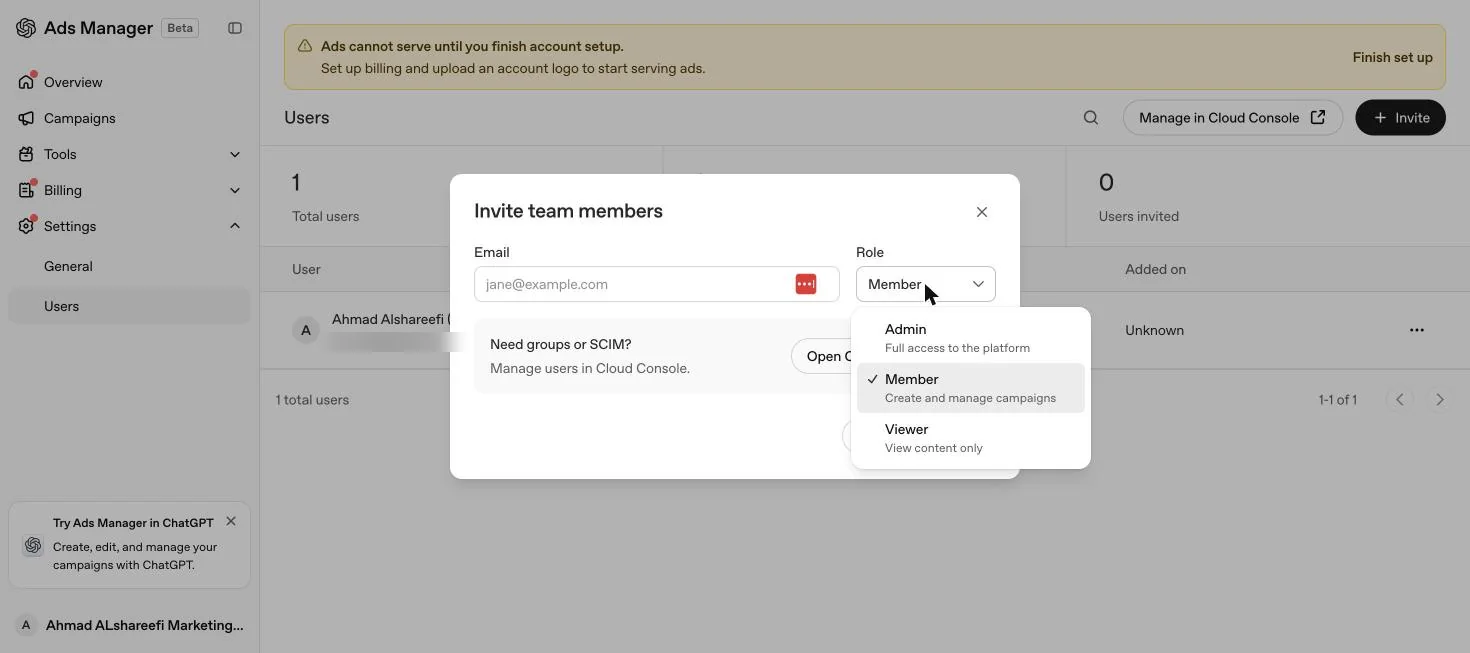
Go to ads.openai.com and sign in with an OpenAI account. If you do not already have one, you can create it during the sign up flow the first time you set up an account. There is no separate ChatGPT ads app or portal outside this address.
Which account you need
| Situation | What to sign in with |
|---|---|
| First time setting up an ad account for your business | Your own OpenAI account, ideally tied to a company work email rather than a personal one |
| Joining an existing company ad account | The email address your OpenAI sign in uses, given to whoever invites you |
| Agency managing a client's account | The agency staff member's own OpenAI sign in, invited by the client after the client creates the account |
OpenAI's guidance is that each business should have one account owner create the advertiser account, who then invites additional team members. Registering the account under a personal email rather than a company one works until that person leaves the business, at which point the company can lose control of its own ad account.
Roles and invitations
Access to Ads Manager is not automatic once you are inside an OpenAI organisation. A person needs both a permitted sign in and a role for the correct advertising account; joining a company's OpenAI tenant, using single sign-on, or appearing in a synchronised directory does not by itself grant Ads access.
| Role | Scope | What it allows |
|---|---|---|
| Ad account admin | One advertising account | Manages the account and user access. At least one effective admin must remain at all times |
| Ad account member | One advertising account | Creates and updates campaigns, ad groups and ads |
| Ad account viewer | One advertising account | Views performance and settings only |
| Ads admin (tenant level) | Whole OpenAI tenant | Can create eligible new advertising accounts, but does not automatically get access to existing ones |
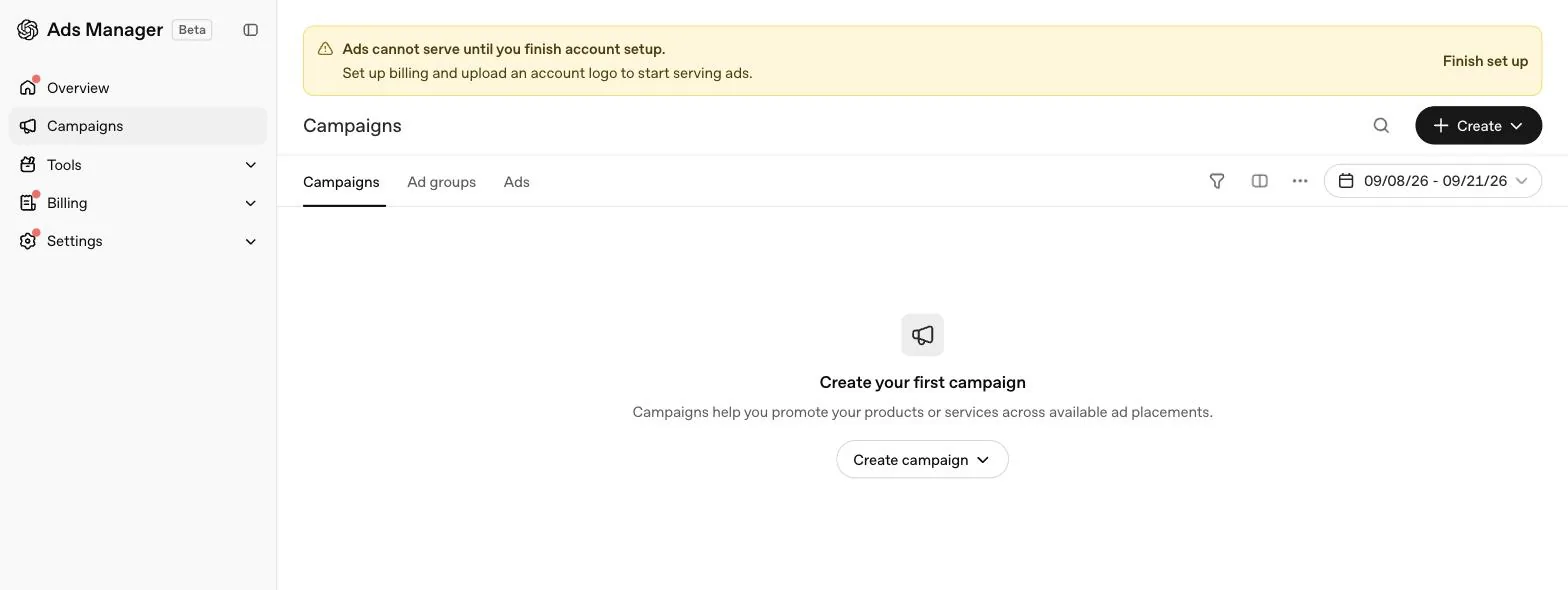
To invite someone, an existing Admin goes to Settings, then Users, then Invite, and enters the email address the new person uses to sign in to OpenAI. If a person holds access through both a direct role and a group, OpenAI applies whichever is higher, so removing a direct role does not necessarily remove access a group still grants.
Account verification and the login
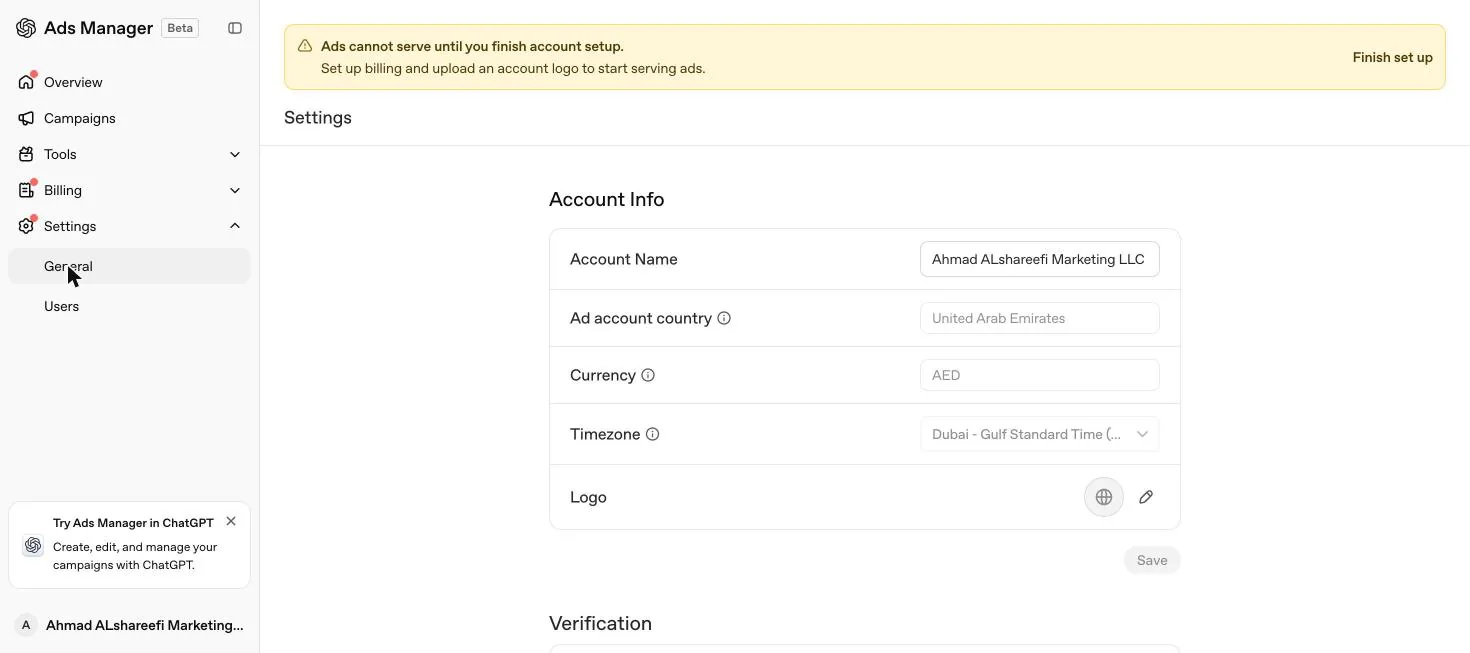
Signing in successfully does not mean an account is ready to use. Verification and account review are separate steps from login access. OpenAI states that completing an identity or business verification flow does not always mean the ad account is ready to run campaigns immediately, so watch the account status and any email or in-product prompts after you sign in, rather than assuming access is complete.
The 10 account limit
One OpenAI login can access multiple ad accounts, but there is a ceiling on creating new ones. Once you belong to 10 or more ad accounts, whether you created them or joined by invitation, you cannot create another yourself. Falling under that count does not guarantee you can create one either, since eligible self service credit card billing, organisation permissions and other requirements still apply. The limit only blocks self service creation; you can still be invited to additional existing accounts beyond 10.
What to do when you cannot get in
Confirm the sign in identity
Make sure you are signed in with the OpenAI account tied to the organisation the ad account belongs to, not a different personal or work login.
Check whether you have a role on the specific account
Being a member of the wider OpenAI organisation is not the same as having Admin, Member or Viewer access to one advertising account. Ask an existing Admin to check the Users tab.
If you cannot create an account, check for a tenant role gap
If your company already has an OpenAI tenant, an IT admin needs to grant you the Ads Admin role at admin.openai.com, under Users, then your profile, then Direct roles.
Check the 10 account ceiling
If Create account is missing or blocked, count how many accounts you already belong to. At 10 or more, ask an existing Admin on the target account to invite you instead of trying to create a new one.
Contact support with specifics
If none of the above resolves it, OpenAI asks for your sign in email, the ad account name and ID, how many accounts you belong to, whether Create account is missing or errors, the exact error or a screenshot, and the date, time and time zone of the attempt.
Never include a password or card details in a support request; OpenAI explicitly asks that these are left out.
Common login mistakes
UAE and Gulf specifics
The login address and process are identical for a UAE business; there is no separate regional sign in. What differs is who should hold the roles. Put the Admin role with someone inside your UAE entity, not with an agency or a personal email address, since OpenAI's access model expects the business itself to own the account. If your plan is to run separate accounts for the UAE and a neighbouring Gulf market such as Saudi Arabia or Qatar, remember each advertiser needs its own account, so you will sign in with the same OpenAI login but switch between separate advertising accounts inside Ads Manager. For the fuller setup path before you ever need to worry about logging back in, see OpenAI Ads Manager account setup for a UAE company.
Quick answers
Where do I log in to ChatGPT ads?
At ads.openai.com. Sign in with the OpenAI account tied to the organisation your ad account was created under.
Do I need a special ChatGPT ads account, separate from ChatGPT itself?
No. You sign in with a standard OpenAI account. Ads Manager access is then granted separately, per advertising account, through a role such as Admin, Member or Viewer.
Why can I sign in but not see my ad account?
Being a member of an OpenAI organisation does not by itself grant the Admin role needed to finish account setup or see an advertising account. An existing account Admin has to assign you a role for that specific account.
Why can't I create a new ad account?
Two common reasons. You may lack the Ads Admin role in your company's OpenAI tenant, or you may already belong to 10 or more ad accounts, which is the ceiling for self service account creation.
Can I still be invited to an account once I am at the 10 account limit?
Yes. The limit blocks you from creating another account yourself. You can still be invited to additional existing accounts beyond 10.
I forgot which OpenAI account I used to sign up. What do I check?
Confirm you are trying the work email tied to your company's OpenAI tenant, not a personal email, since Ads Manager access is granted to a specific sign in identity, not to a person in the abstract.
Can an agency log in to run our ChatGPT ads account?
Yes, once invited. OpenAI's access model expects the client business to create and own the account, then invite the agency as a Member or Admin using the email address the agency signs in to OpenAI with.
Related
Account setup
The five setup steps in OpenAI Ads Manager, what a UAE business should prepare, what the Beta looks like once access is granted, and why campaigns still don't serve.
Ads not showing? Fixes
Zero impressions, rejected ads, failed uploads, blocked bots and delivery that drops for no reason. Every check OpenAI lists, in the order that solves most accounts fastest.
Ads Manager complete guide
Every level of OpenAI Ads Manager explained: account, campaign, ad group and ad, what each screen shows, what cannot be edited later, and a launch checklist.
How to advertise on ChatGPT
The full path from eligibility check to a live campaign: account, verification, billing, measurement, campaign, ad groups, ads and your first two weeks.